Review: Radiomaster T8L ExpressLRS Controller – Is This $35 Radio Worth It? - Oscar Liang
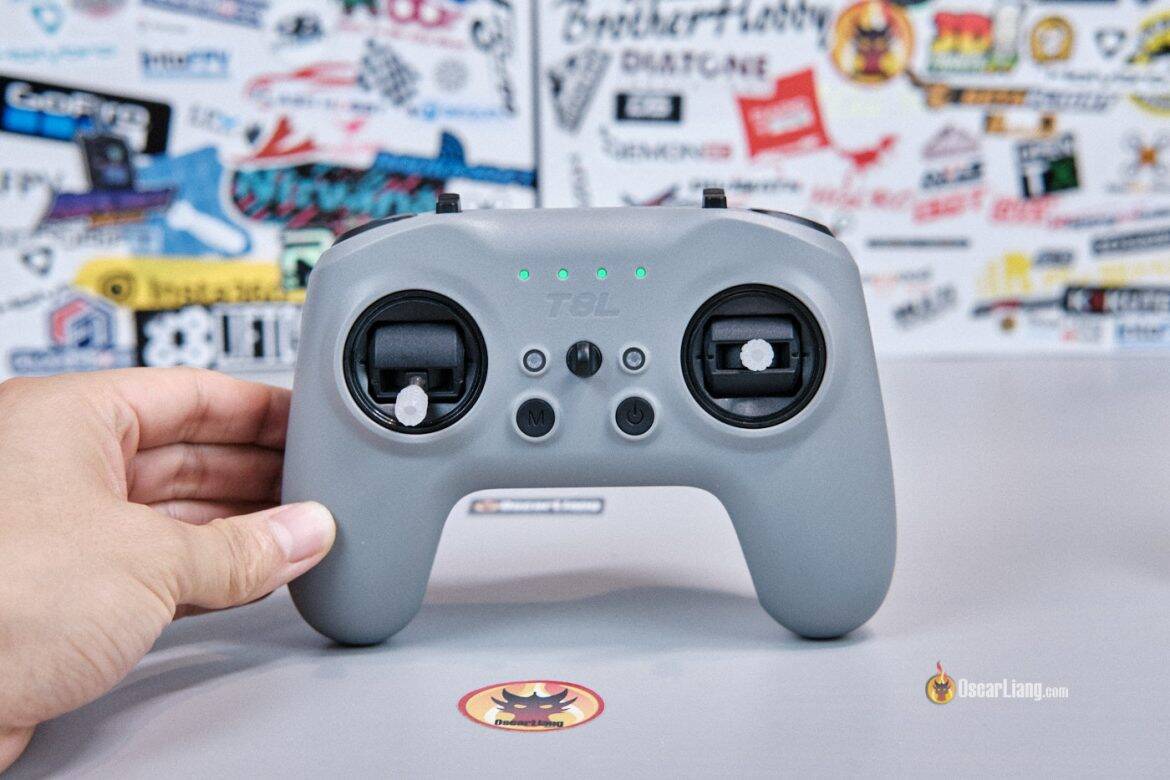
Everything is getting more expensive these days, but radio controllers seem to be moving in the opposite direction. We now have a fully functional ExpressLRS radio for just $35: the Radiomaster T8L! It’s a compact, lightweight, screen-less controller designed specifically for budget-conscious FPV pilots, beginners, or anyone who simply needs an affordable radio for FPV simulators and tiny whoops.
Learn more about radio controllers in this buyer’s guide: https://oscarliang.com/radio-transmitter/
Table of Contents
Where to Buy?
Get the Radiomaster T8L from:
-
RadioMaster: https://oscarliang.com/product-i66o
-
AliExpress: https://s.click.aliexpress.com/e/_c3aGKI8d
-
Banggood: https://oscarliang.com/product-wg0w
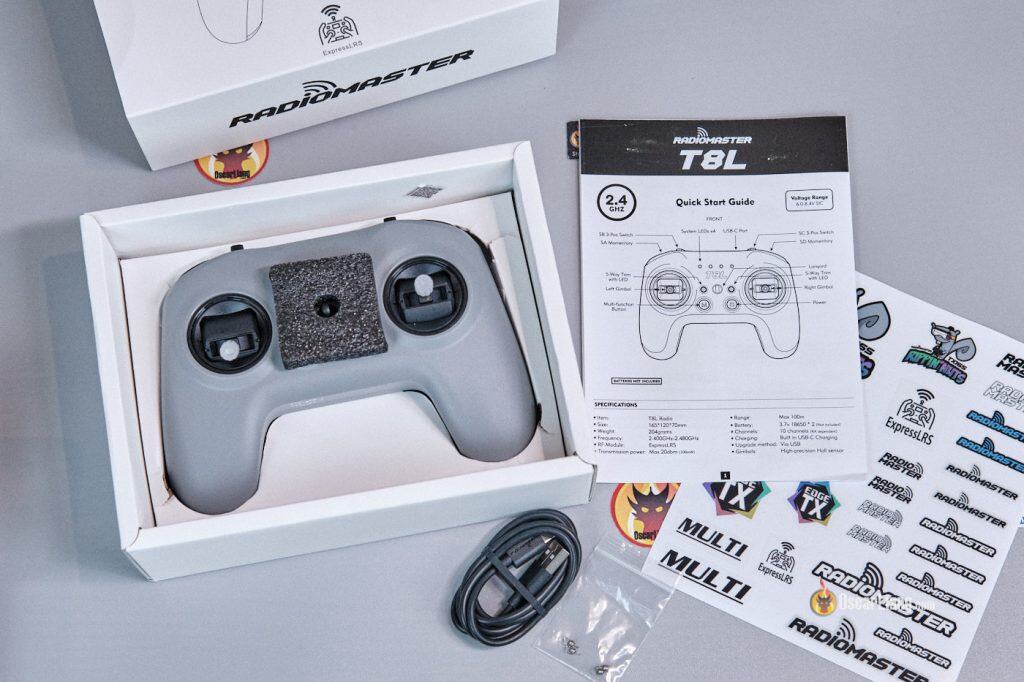
It comes with a USB cable, manual, some spare gimbal springs, and stickers.
Specifications
-
Built-in RF Module: 2.4GHz ExpressLRS (SX1281)
-
Frequency Range: 2.400GHz–2.480GHz
-
RF Power: Adjustable 10dBm (10mW) to 20dBm (100mW)
-
Hall-effect Gimbals
-
Supports up to 10 channels
-
Battery: Two 18650 cells (not included)
-
Charging: Built-in USB-C charging
-
Configuration: Browser-based UI via USB-C
-
Colors: Blue, White, Grey
-
Size: 165 × 120 × 70 mm
-
Weight: 302g including battery, 204g without battery.
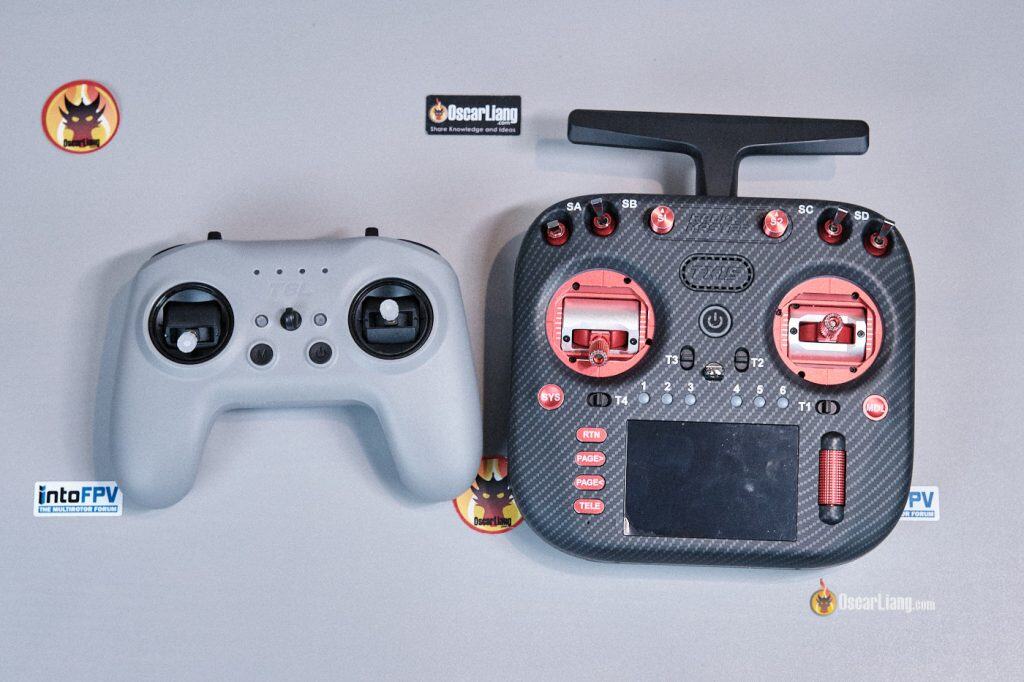
Size comparison to a full size radio – Left: T8L; Right: TX15
Design and Build Quality
The Radiomaster T8L appears to be heavily inspired by the DJI Remote Controller 3 (RC3). It shares many similarities, including the color theme, overall form factor, removable sticks, battery level indicators, and even the switch layout.
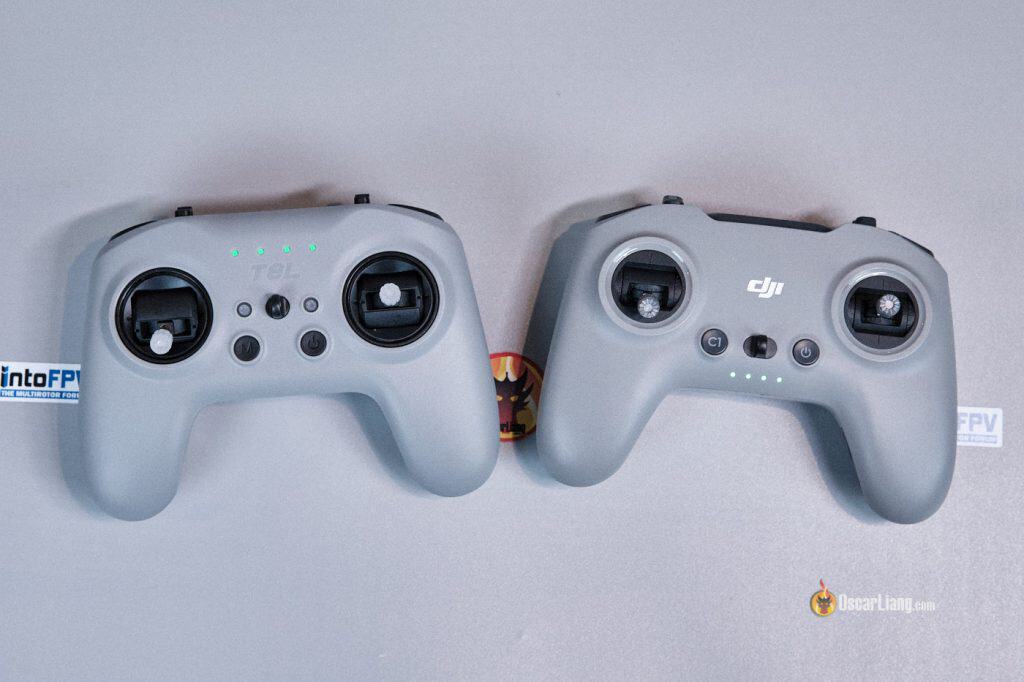
Left: Radiomaster T8L; Right: DJI RC3
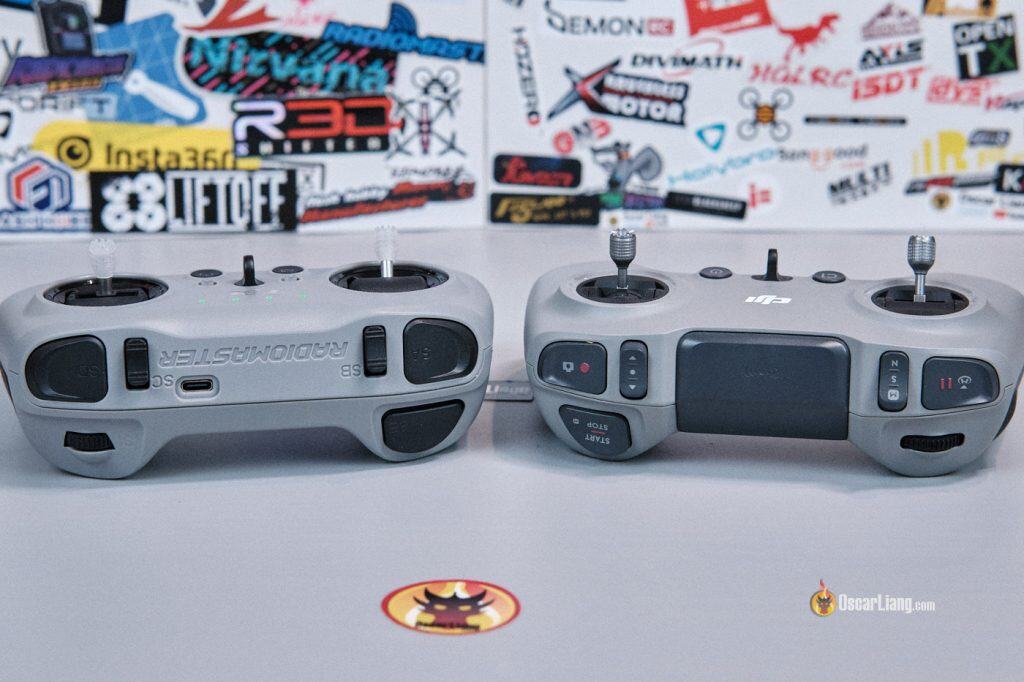
Left: Radiomaster T8L; Right: DJI RC3
No Screen? No Problem!
The first thing I noticed was the complete lack of a display. Instead of using EdgeTX and having a built-in screen like all the mainstream radios, all configuration is handled through Radiomaster’s web-based configurator, which you access by plugging the radio into a PC via USB-C.
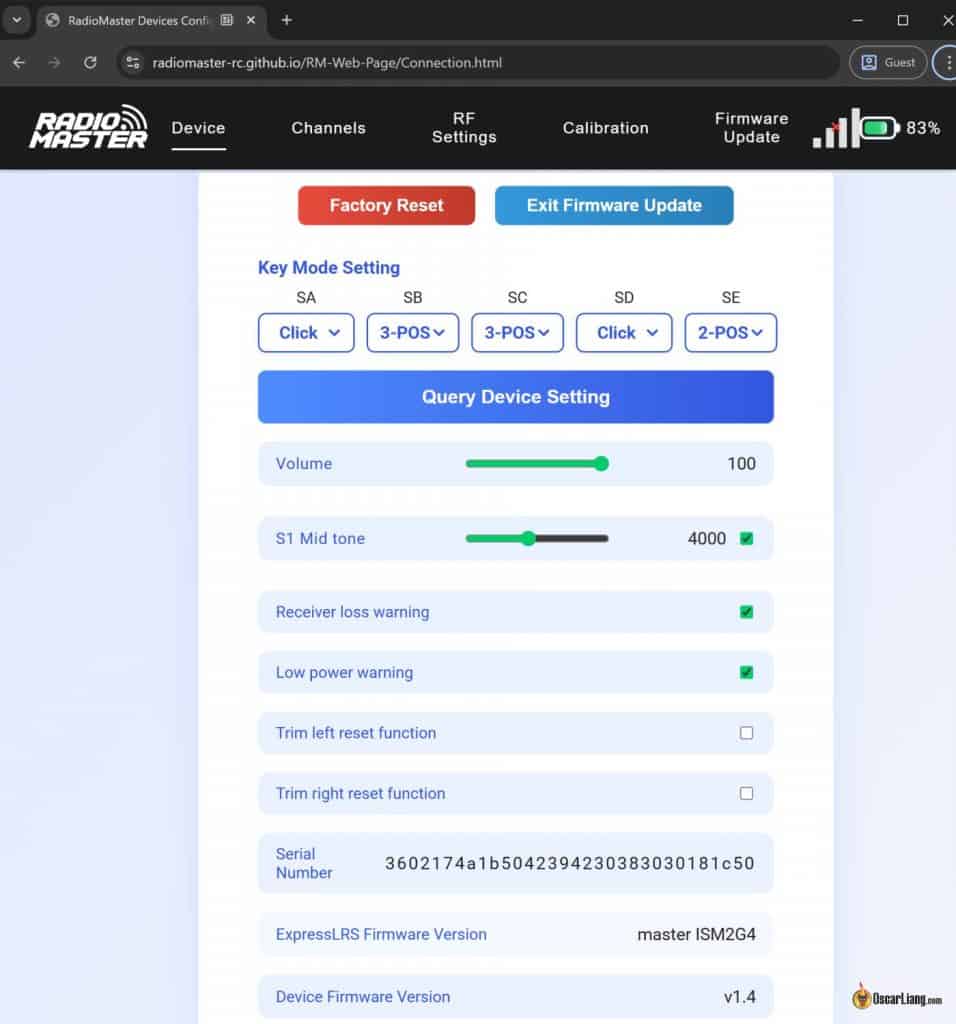
As someone who primarily uses radios with a screen, I found this a little worrying at first. Without a display, you have no quick way to check:
-
Your current radio settings
-
Telemetry such as RSSI, LQ, or battery voltage
And yes—you can’t create multiple profiles for different models. For those who own different types of aircraft will find it limiting.
That said, for some people it isn’t a dealbreaker. In fact:
-
There’s a dedicated bind button
-
The online configurator offers plenty of settings and customization
-
Most options only need to be changed once during initial setup
I do think Radiomaster could take this further. A smartphone app acting as an external display, would make field use far more convenient without increasing hardware cost.
Controls and Switch Layout
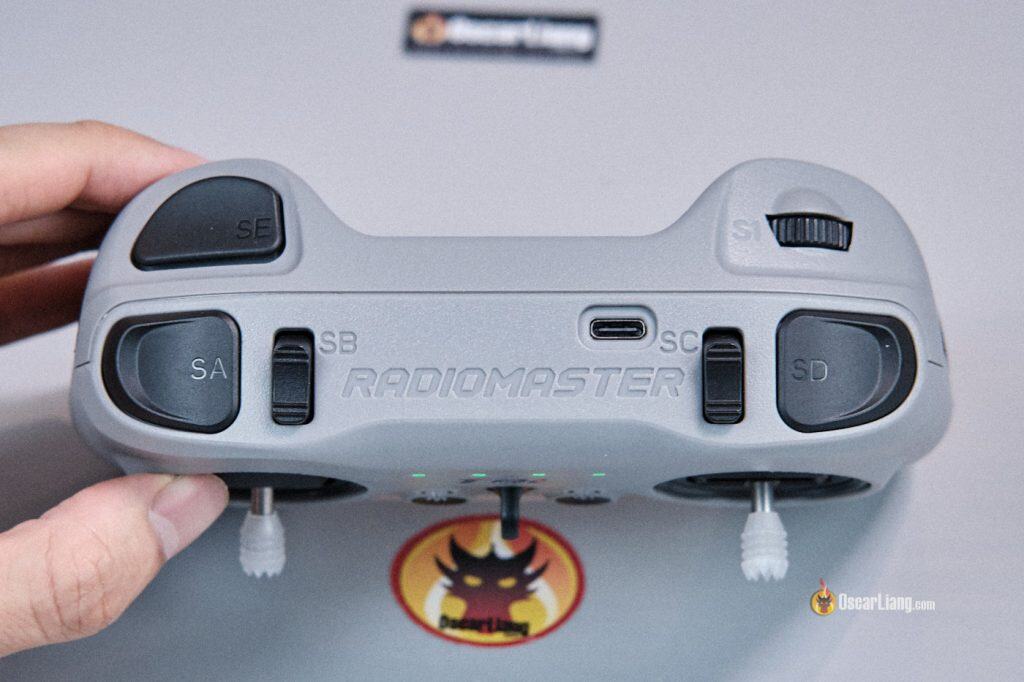
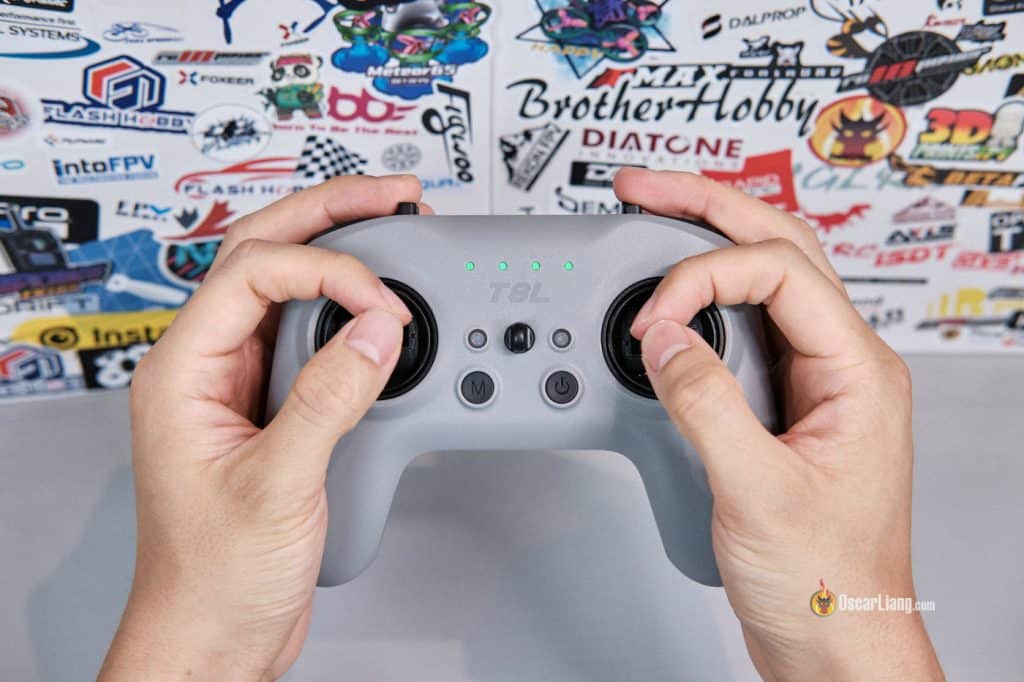
Despite being an ultra-budget radio, the T8L packs a surprisingly complete set of controls:
-
Two hall-effect gimbals — similar control feel to DJI RC3 with matching gimbal tension
-
Trim buttons (light up when not centered)
-
Two momentary buttons (SA & SD)
-
Two 3-position switches (SB & SC)
-
One rotary dial (S1) — no mechanical center detent, but an audible beep at center (when powered on)
-
One 2-position latching switch (SE)
-
USB-C port for both charging and configuration
Unfortunately, the T8L does not have a trainer port.
Gimbals
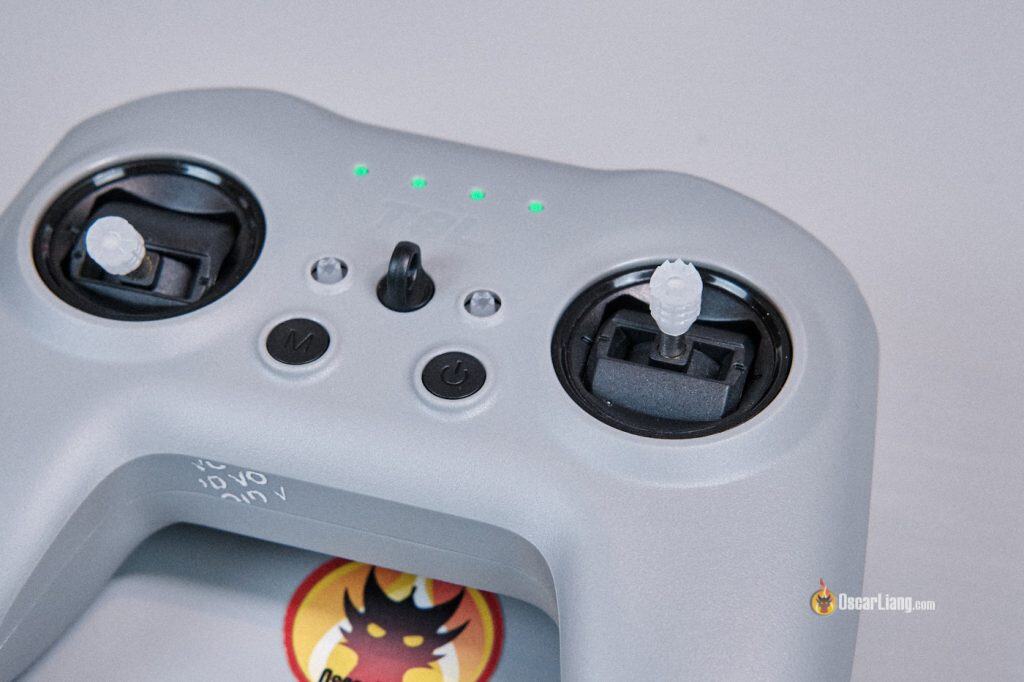
The stock hall-effect gimbals are a pleasant surprise. They’re obviously not in the same league as the premium AG01 or AG02, but they feel better than the cheap potentiometer gimbals in many budget radios I’ve tested.
The stick ends are quite sharp and leave marks on my thumbs after an intense session—but the upside is excellent grip.
Stick length isn’t adjustable, it’s great for thumbers. For hybrid pinching, it’s usable, but I do wish they were a bit longer. Fortunately, the gimbals use M3 threads, so you can perhaps install longer aftermarket stick ends. The onboard stick holders on the back are large enough to hold longer stick ends as well.
The T8L is compatible with the AG01 Nano Gimbals (direct fit), but I haven’t tried installing them myself. However, given the high cost of AG01s, I’m not sure they make sense in such a budget-focused radio. Personally, I think the stock gimbals get the job done just fine.
Compatible Receivers
The T8L has an internal ExpressLRS 2.4GHz transmitter module, it’s compatible with all ExpressLRS 2.4GHz receivers.
Internal Antenna & Range
There’s no external antenna on the T8L, which helps keep the radio compact. Instead, it uses a small ceramic antenna that is integrated on the mainboard (you can spot it as the red chip marked “C3”). This setup is perfectly fine for casual pilots, but you shouldn’t expect the same range or signal reliability as full-size radios like the Radiomaster Boxer or TX15, both of which use full size external antennas that can be positioned for optimal alignment.
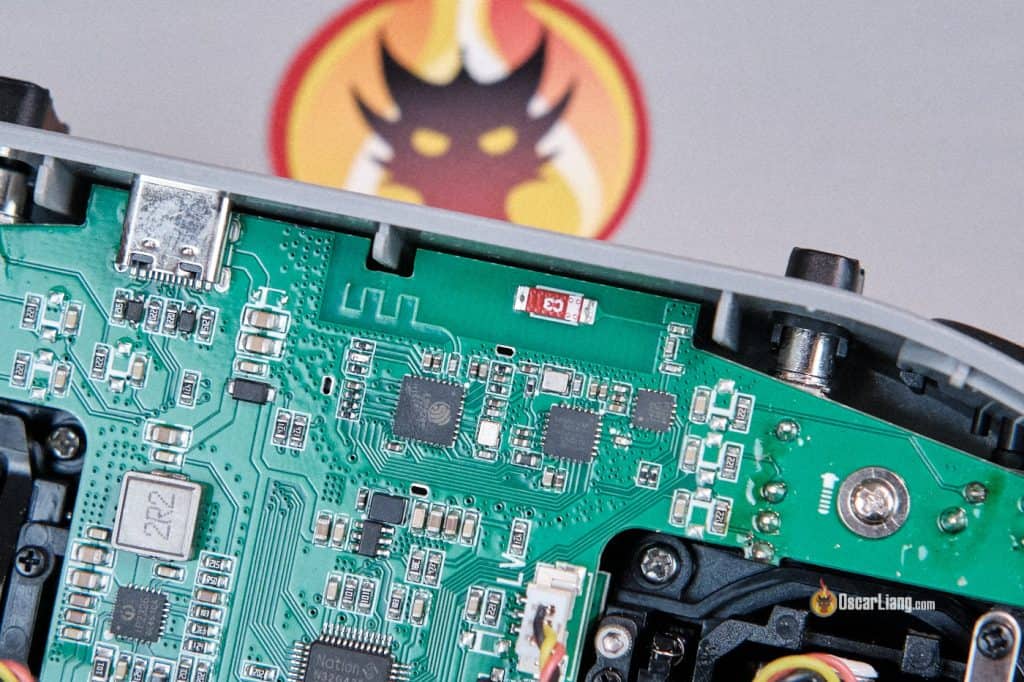
WiFi Antenna and 2.4GHz Ceramic Antenna
The RF power is limited – the T8L maxes out at 100mW. Obviously, it’s not designed for long-range or demanding scenarios where signal reliability is critical, but is more than enough for:
-
Indoor flying
-
Tiny whoops
-
Park flying
-
Short-range freestyle
Personally, I don’t consider this a flaw—it’s clearly an intentional design tradeoff to keep the cost low and the form factor compact. What I do wish for, though, is a UFL connector for the antenna. That would allow users to upgrade to a better antenna or even route an antenna externally for improved performance.
With a proper antenna, even a 100mW ExpressLRS link can achieve several kilometers of range (something I’ve personally tested). It’s a missed opportunity, because adding a UFL would have opened the door for easy, safe, user-friendly upgrades without increasing cost significantly.
User Experience and Control Feel
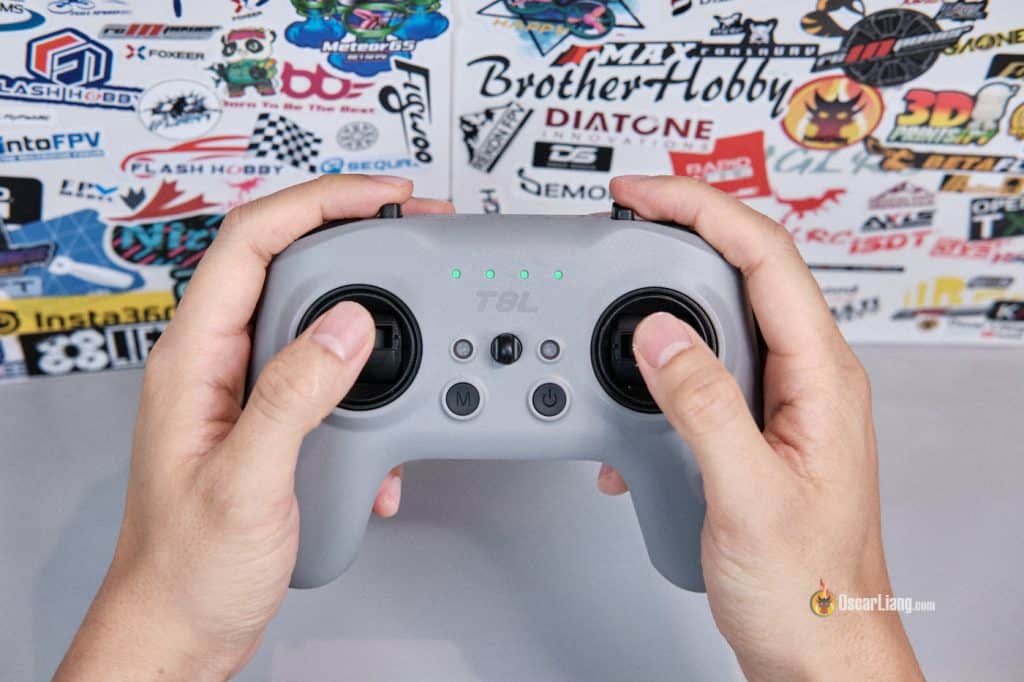
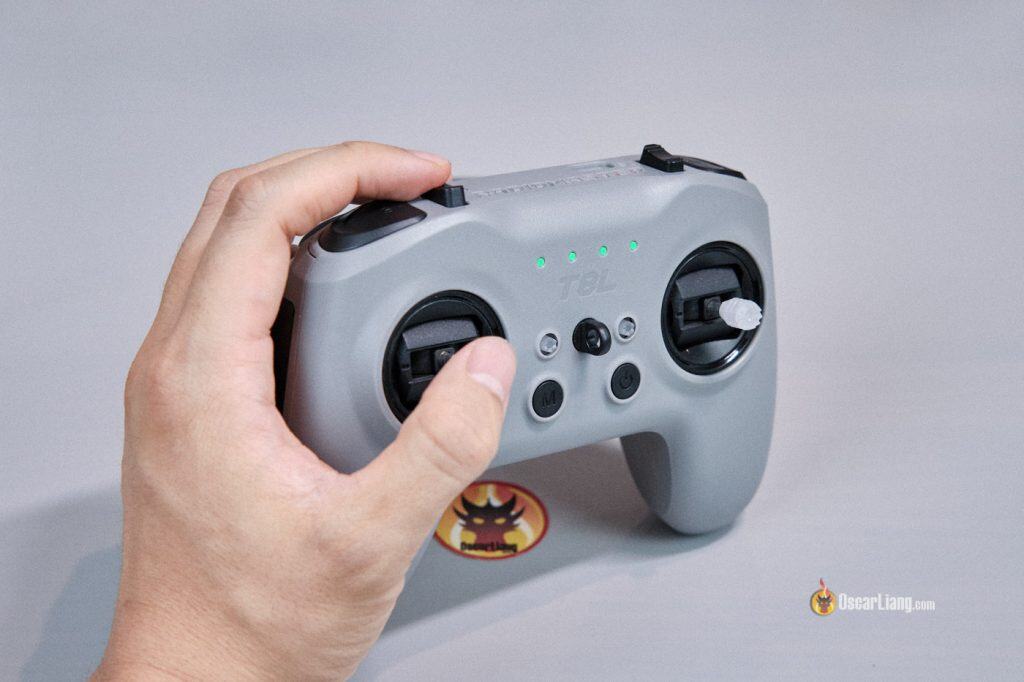
The T8L feels natural to hold whether you’re a thumber or a hybrid pincher—though I do wish the stick ends were slightly longer for pinching. The gimbals are surprisingly good for a budget radio. They’re smooth, adequately precise, and I haven’t seen any jitter on any channel, which is great. Hopefully this means no deadband is needed in Betaflight.
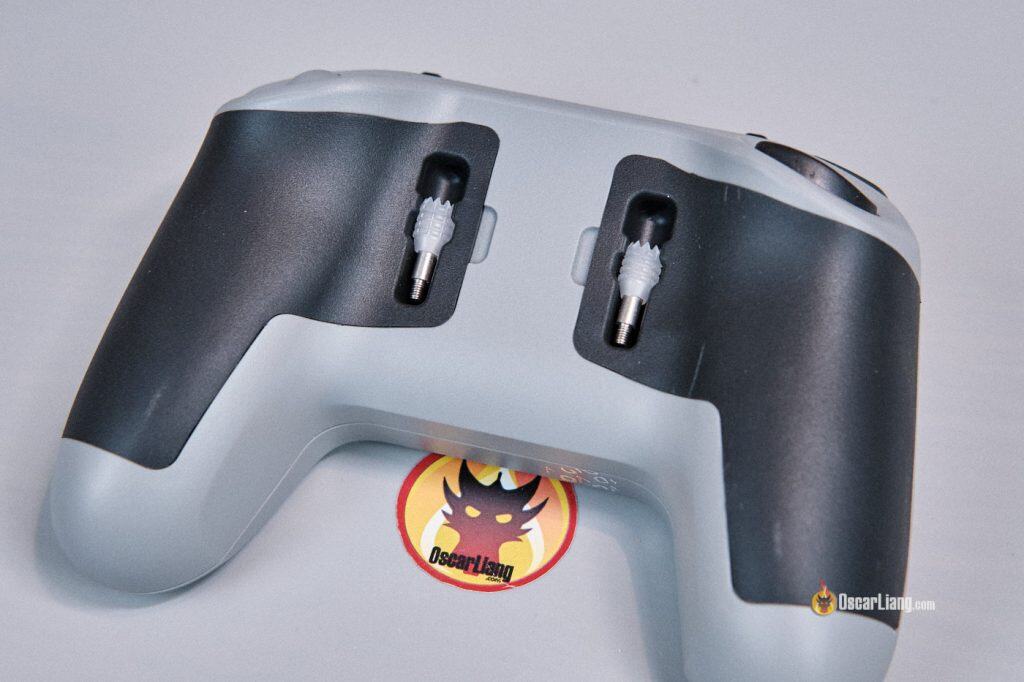
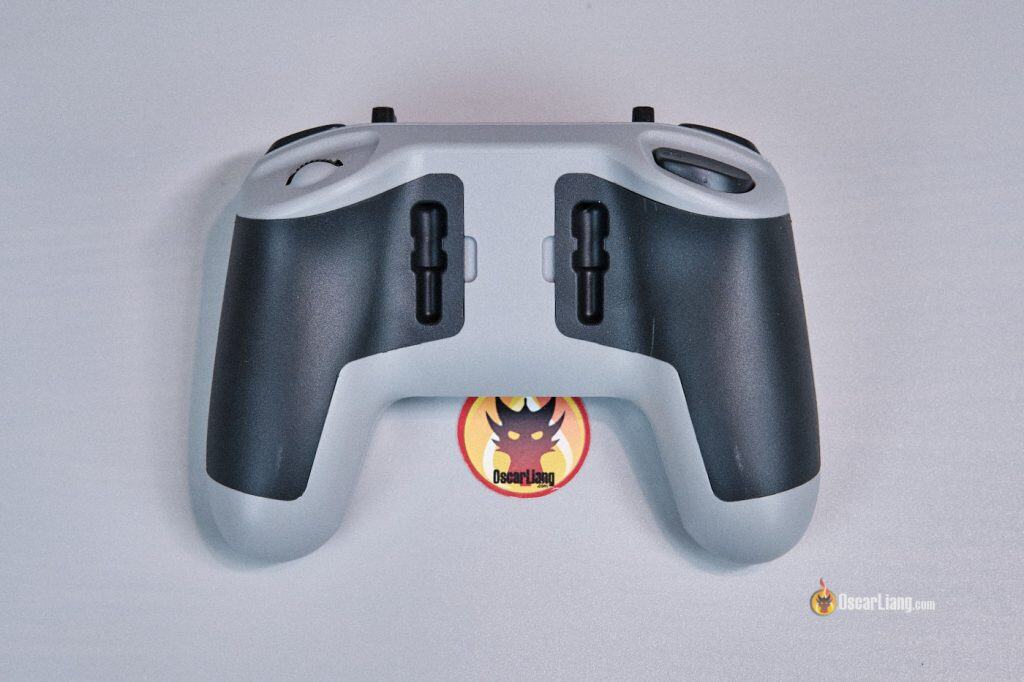
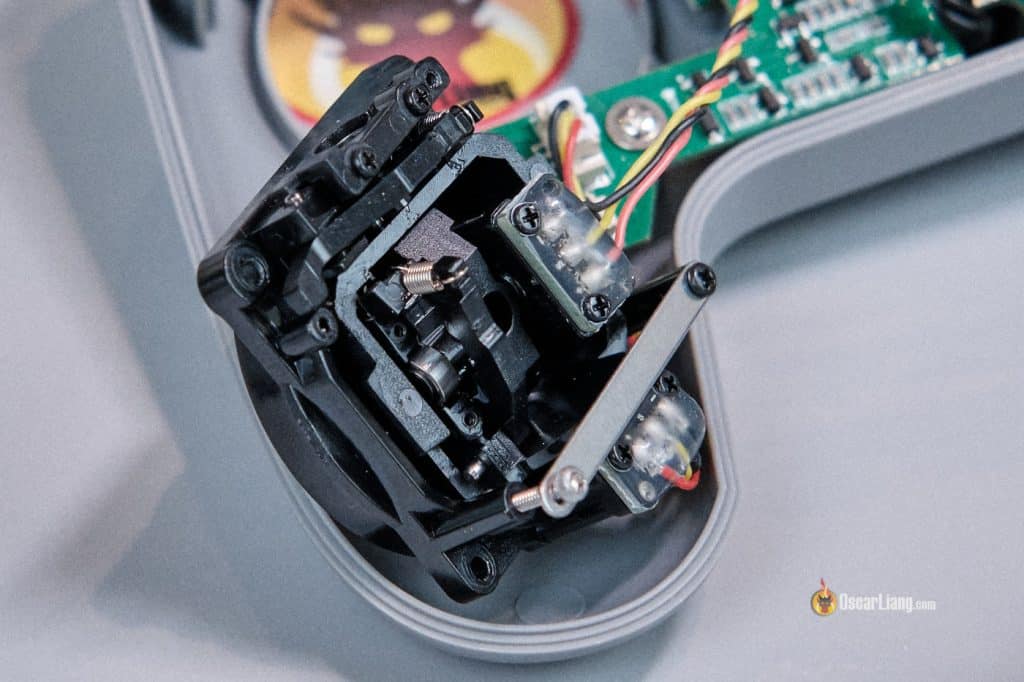
Out of the box, the spring tension felt a bit too stiff for my taste, so I loosened them. You can access the tension screws by peeling back the rubber grips on the rear and inserting a 1.5mm hex driver through the holes—no need to disassemble the whole radio.
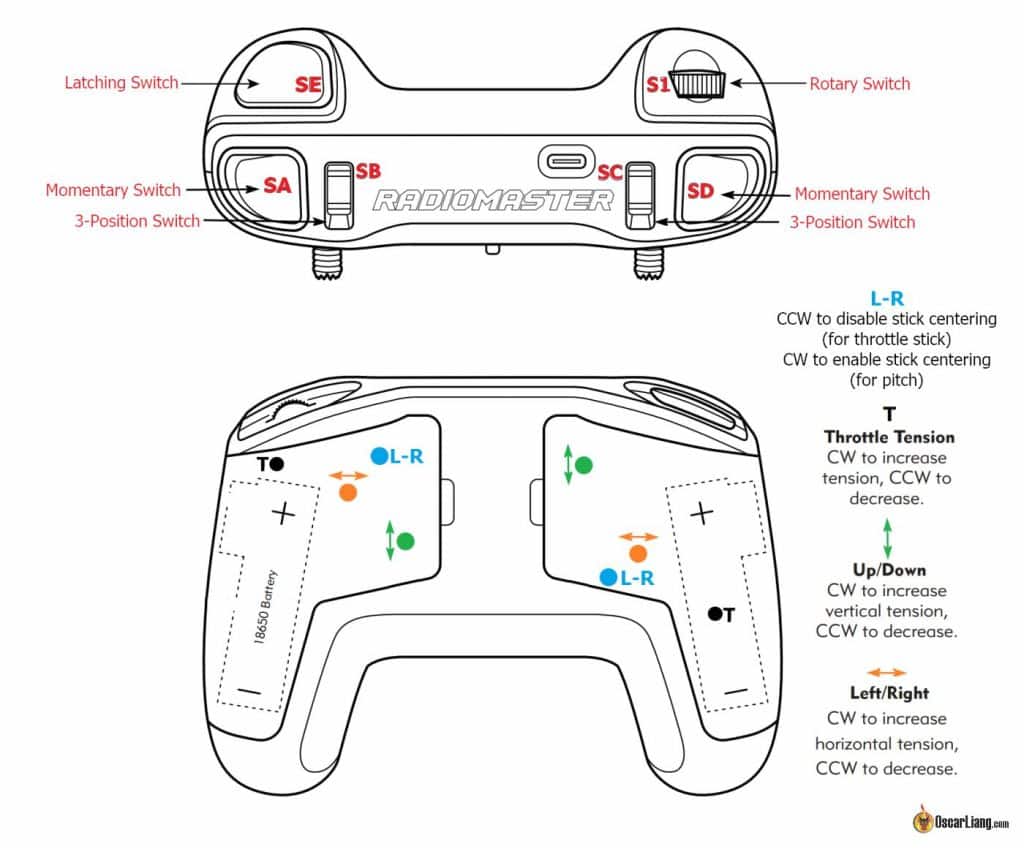
However, the range of spring adjustment is very small. Even the lowest tension feel slightly too stiff for me. And if you loosen the springs too much, the gimbals start to make a rattling/clicking sound near center stick due to the lack of tension, the gimbal basically “floats” with almost no resistance.
Fortunately, Radiomaster includes spare, longer springs in the box. These longer springs provide lighter tension and a softer, smoother gimbal feel.
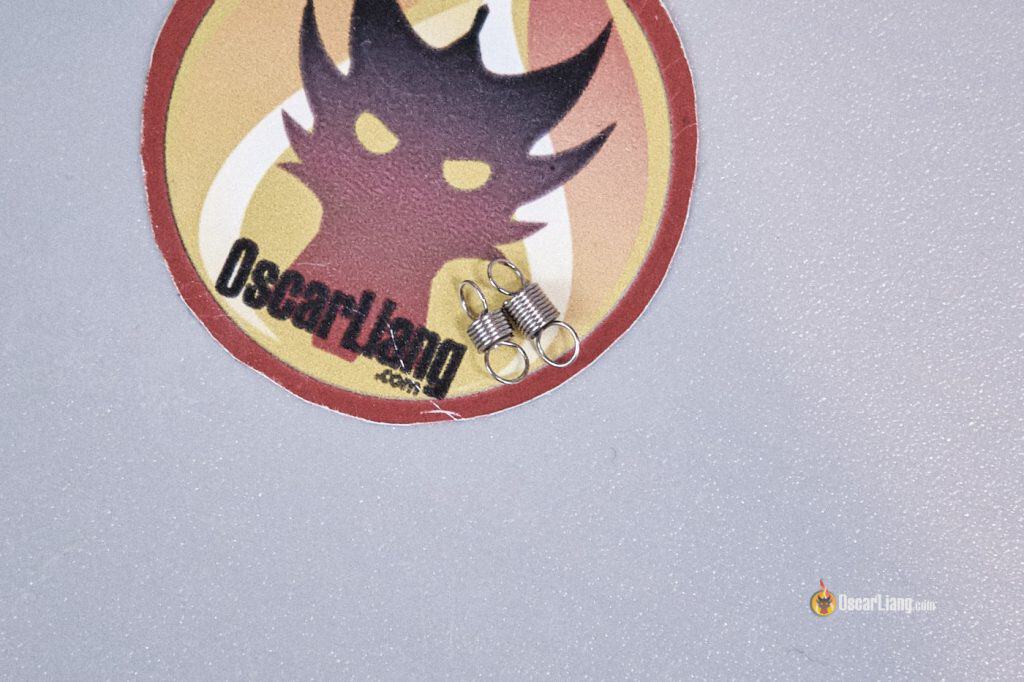
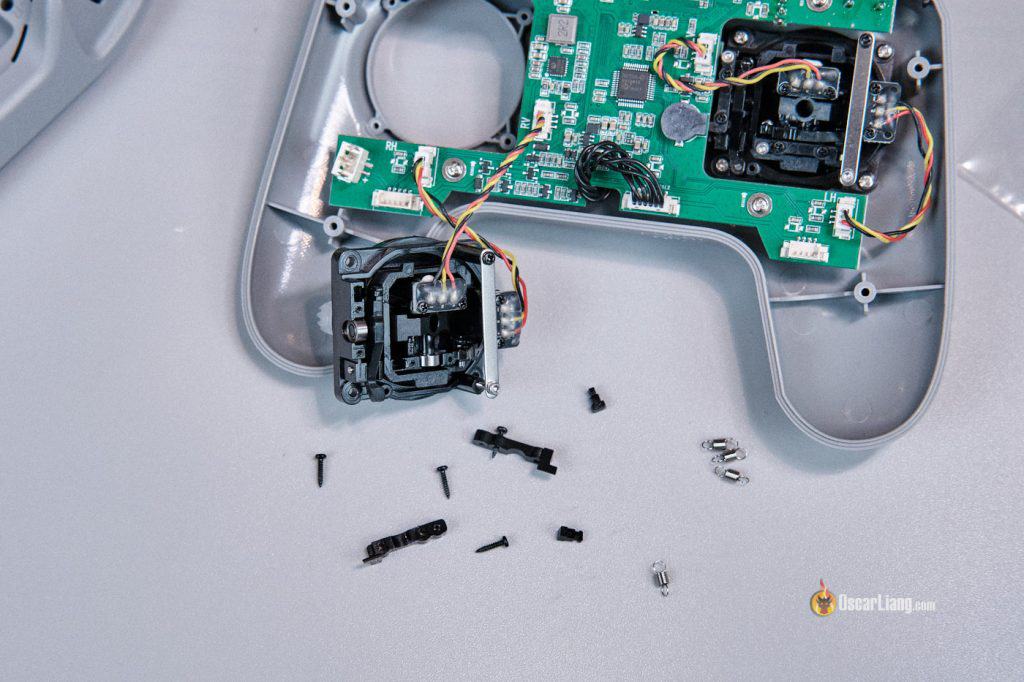
That said, a word of warning: replacing the springs is NOT easy. You’ll need to fully disassemble the radio and the gimbals. The components are tiny and fiddly. It’s doable, but requires patience. If you prefer a looser gimbal feel like I do, the modification is worth it—the improvement is noticeable.
I’ve also seen complaints online about the difficulty of reaching the top 3-position switches. Personally, I don’t find this to be an issue. I suppose it depends on how long your fingers are. But honestly, if you struggle to reach switches on a compact radio like this, you’ll likely run into the same issue on most modern transmitters, which are larger and have switches spaced even farther apart.
Power and Batteries
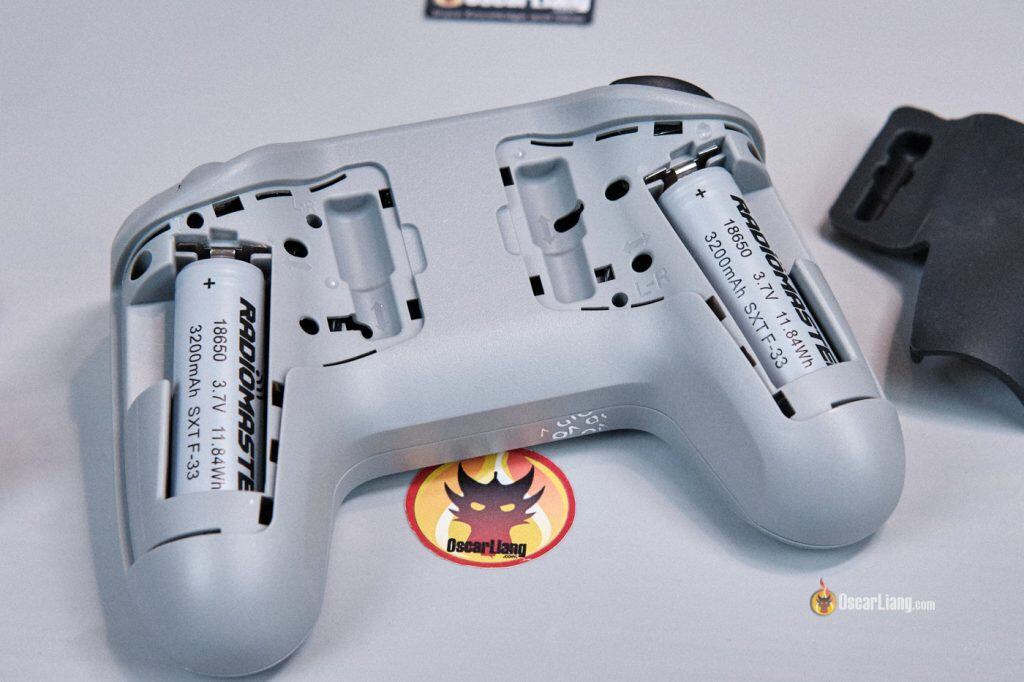
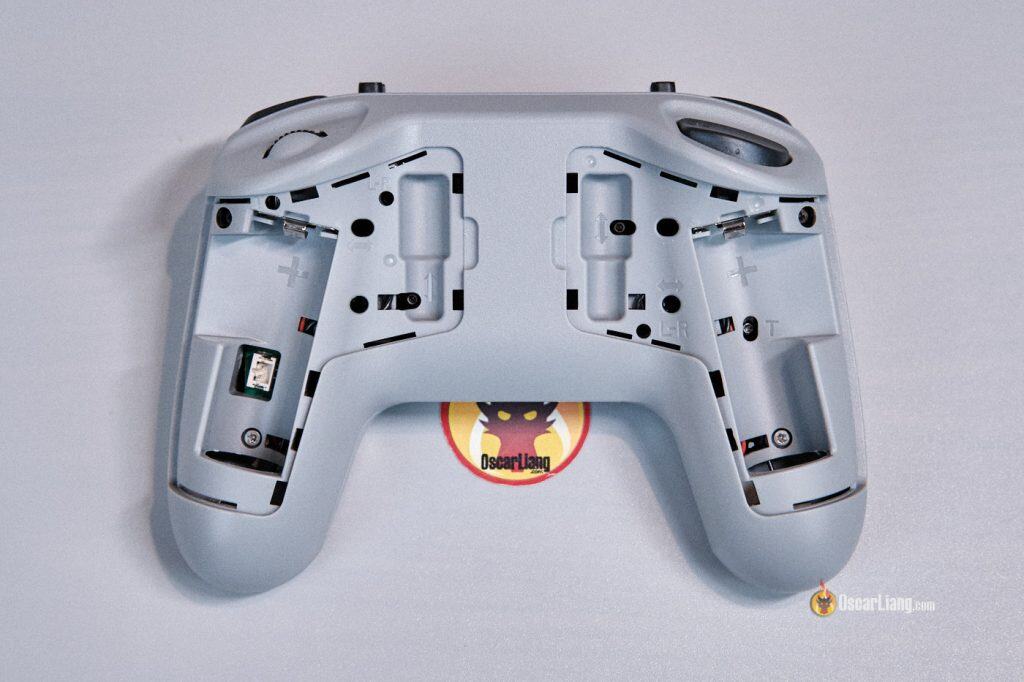
Under the rubber grips on the back of the T8L, you’ll find slots for two 18650 batteries. These are not included, so factor in the cost if you’re on a tight budget. If you need recommendations, here are my tested favorites: https://oscarliang.com/best-18650-li-ion-battery/#Results-and-Recommendations
To summarize, my go-to choices are the Molicel M35A and Sanyo NCR18650GA. If you’re ordering the radio directly from Radiomaster, their 3200mAh 18650 cells are also a great option and save you the hassle of ordering batteries separately:
-
RadioMaster: https://oscarliang.com/product-ykiv
-
AliExpress: https://s.click.aliexpress.com/e/_DdrOSo1
These 18650 are removable, so you can swap them on the go, which is great for long flying sessions. Not hot swap though, you have to turn the radio off. The two cells are connected in series, meaning the radio will not power on if only one cell is installed, two cells are required.
Charging is done through USB-C at around 8–9W maximum. On paper, charging a pair of 3000mAh cells from empty would take just over 3 hours.
The radio itself is extremely efficient thanks to the lack of a screen and its relatively low transmission power. During my tesitng, it drew around 1W at most, meaning a full charge (3000mAh cells) can last roughly 25 hours of use. If you fly 3 hours a day, you could realistically get through an entire week on a single charge!
Configuring the Radiomaster T8L
The Radiomaster T8L uses a web-based configurator, and I have to say—it’s surprisingly well designed and easy to use. Even beginners should find the interface straightforward.
In the Web Configurator, you can access:
-
Device settings: volume, signal/power warning, firmware version, switch behavior, etc.
-
Channel monitor, settings, mapping and mode (1,2,3 or 4)
-
ExpressLRS RF settings (similar options to ExpressLRS LUA script), you can change RF power, enable WiFi, change packet rate and switch mode etc.
-
Stick calibration
-
Firmware updates for both radio and Internal RF module
It doesn’t offer as many settings as a full EdgeTX radio, but for most pilots flying quadcopters, the available configuration options will cover almost everything you need. My only real complaint is that the configurator URL is long and not very user-friendly—that’s why I made this shortened URL: https://bit.ly/t8l-config
Using the T8L in FPV Simulators
The T8L was plug and play for me.
Simply power on the radio, connect it to your PC with a USB-C cable, and launch your simulator (Liftoff, Uncrashed, TrypFPV, Velocidrone, etc.). It should be immediately recognized as “Radiomaster SIM” controller, without installing any drivers.
For $35, it’s arguably the best budget FPV simulator radio available today.
Tear-Down
Let’s take a quick look inside the T8L.
The radio uses a clean single-board design, nothing complicated and easy to take apart. Some controls, like the gimbals and trim buttons, are connected using plugs, making them easy to replace. However, some switches are soldered directly to the PCB, so replacing those would require soldering.
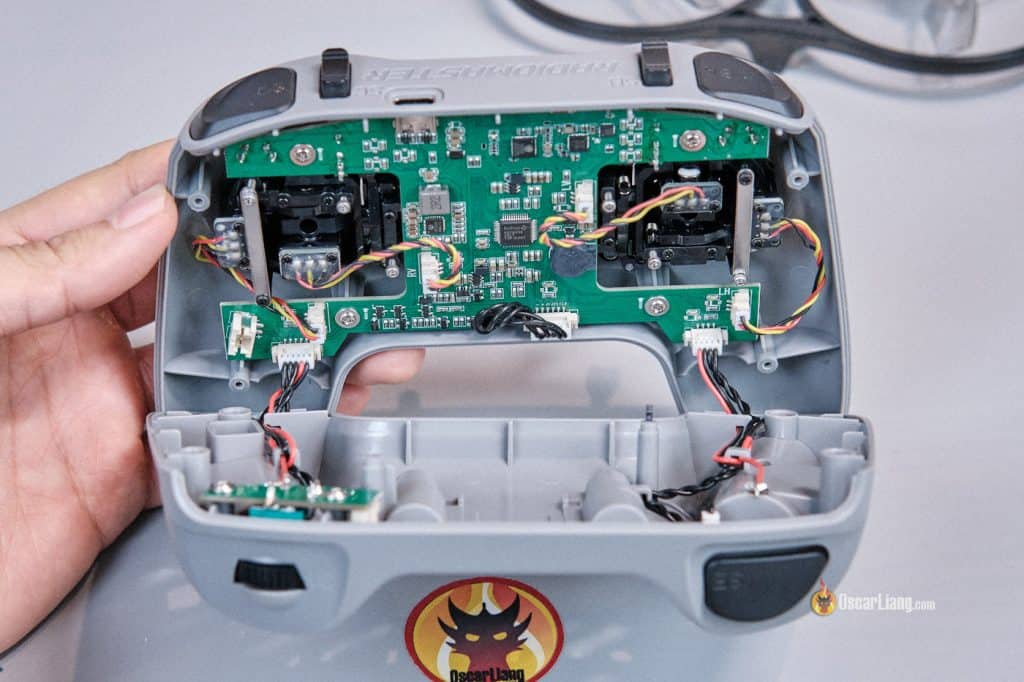
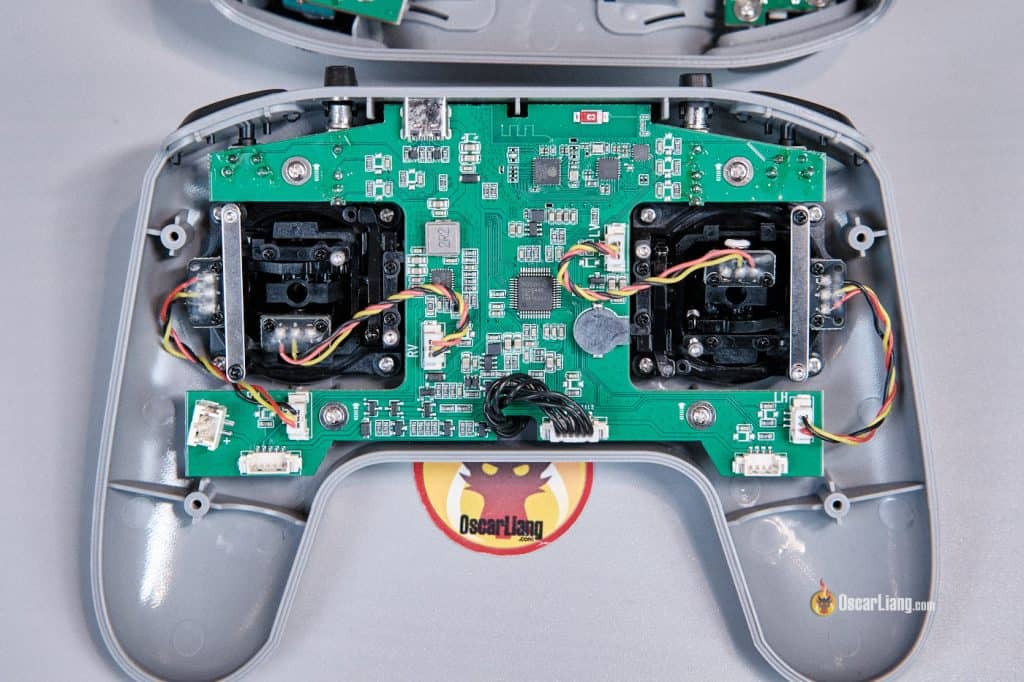
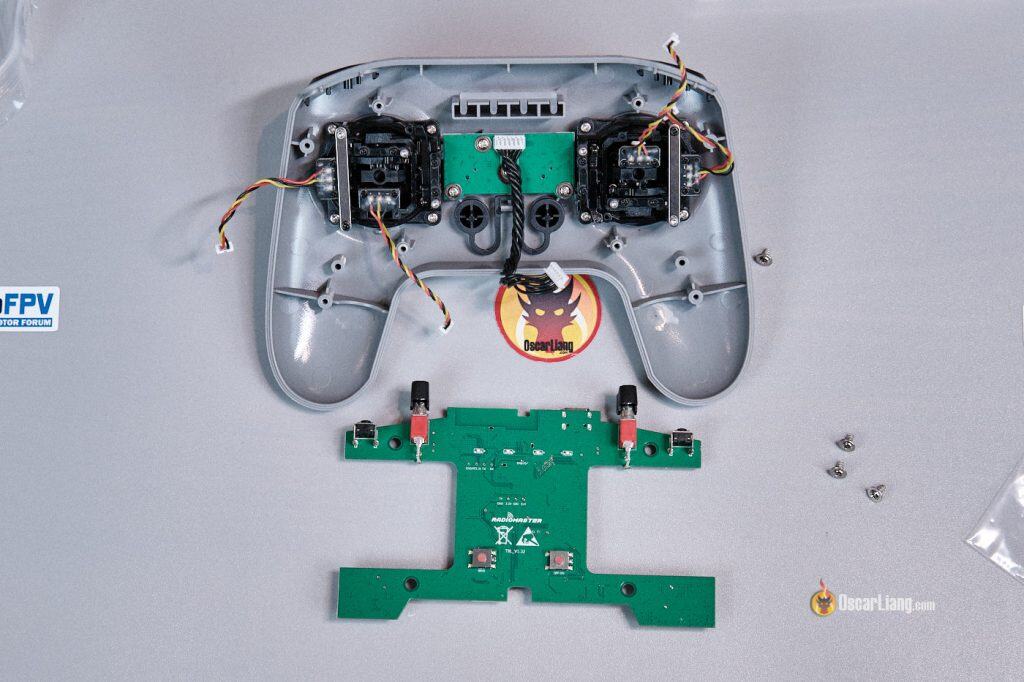
You have
-
ESP8285 chip for ELRS Wi-Fi and Web UI
-
Semtech SX1281 for the 2.4Ghz RF transceiver
-
Ceramic antenna for the 2.4GHz ELRS link
-
Square wave looking PCB antenna for WiFi.
There’s also an unlabelled connector under one of the battery slots. No official documentation yet, so for now we don’t know what it’s for. Maybe extension for something cool in the future.
Radiomaster T8L vs. BetaFPV LiteRadio 4
These two radios are priced similarly and share almost identical specs, so it’s inevitable to compare them. After using both, I think the Radiomaster T8L comes out on top.
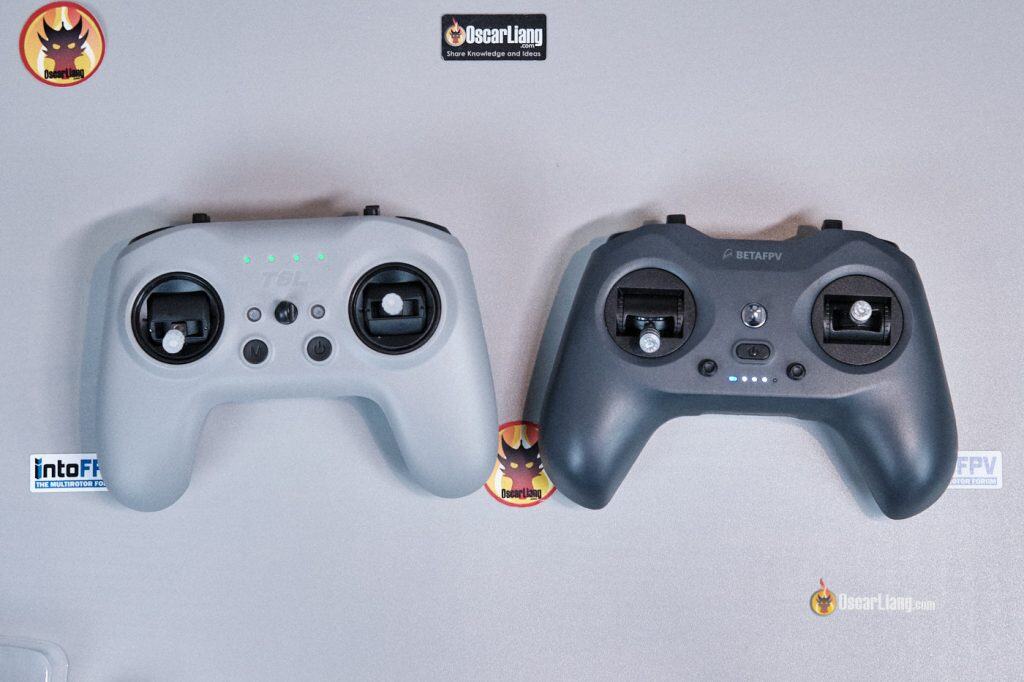
Why the T8L is Better
-
Superior build quality and design
-
More intuitive configurator, and it’s web-based—no software download required
-
Better stock hall-effect gimbals
-
Longer battery life thanks to two removable 18650 cells
-
More sturdy plastic shell
While the LiteRadio 4 includes a built-in 1S 2000mAh LiPo, the T8L’s dual 18650 cells offer dramatically better battery life. You can easily expect over three times the battery life with the T8L, and the flexibility of swapping cells is a huge advantage. But you do have to buy the battery separately, so the T8L doesn’t really have a price advantage.
The T8L is heavier (302g vs. 219g for the LiteRadio 4), but the extra weight is almost entirely from the larger battery capacity. In use, the T8L still feels perfectly balanced and comfortable for extended flying.
Issues with Bind
Well, it’s not exactly a binding issue, but something important to keep in mind: When you power on the T8L, make sure all switches are in their lowest position and the throttle stick is lowered. If not, the radio will refuse to communicate with the drone (this is a safety feature).
On a radio with a screen, you’d normally see an error warning, but the T8L has no display—so it’s easy to overlook. I wanted to point this out in case you run into problems and wonder why your radio isn’t working with the drone.
Hopefully Radiomaster can add a feature in the future, such as changing the LED color to red, to indicate an error status more clearly.
Issues with Battery Voltage Detection and Low Battery Warning
During my testing, I found the T8L’s battery voltage detection and warning to be somewhat questionable:
-
At 7.68V (3.84V per cell), the configurator reports 85%, and the radio shows four LEDs.
-
At 7.50V (3.75V per cell), the configurator reports 76%, and the radio drops to three LEDs.
-
At 6.80V (3.40V per cell), the configurator reports 50%, and the shows 2 LEDs.
-
At 6.2V (3.1V per cell), the configurator reports 30%, and the shows 1 LEDs.
-
I didn’t get any audible low-voltage warning until the pack reached 5.5V, and the radio shut down almost immediately afterward at 5.4V.
This behaviour suggests the voltage calibration may be inaccurate, and the low-battery warning triggers far too late. Once the alarm beeps, you have almost no time before the radio powers off.
Unfortunately, I couldn’t find any option in the configurator to calibrate the voltage reading or adjust the warning threshold.
Hopefully Radiomaster can address this in a future firmware update. Until then, I recommend recharging the radio regularly rather than relying on the built-in warning system—especially if you’re flying outdoors where a sudden transmitter shutdown could be catastrophic. When you see 1 LED, you should recharge the radio asap.
How to Setup T8L
I have a whole guide walking you through how to setup the T8L, from setting up switches, configuring ELRS settings, calibrating gimbals to firmware updates: https://oscarliang.com/setup-radiomaster-t8l/
Final Thoughts – Is the Radiomaster T8L Worth It?
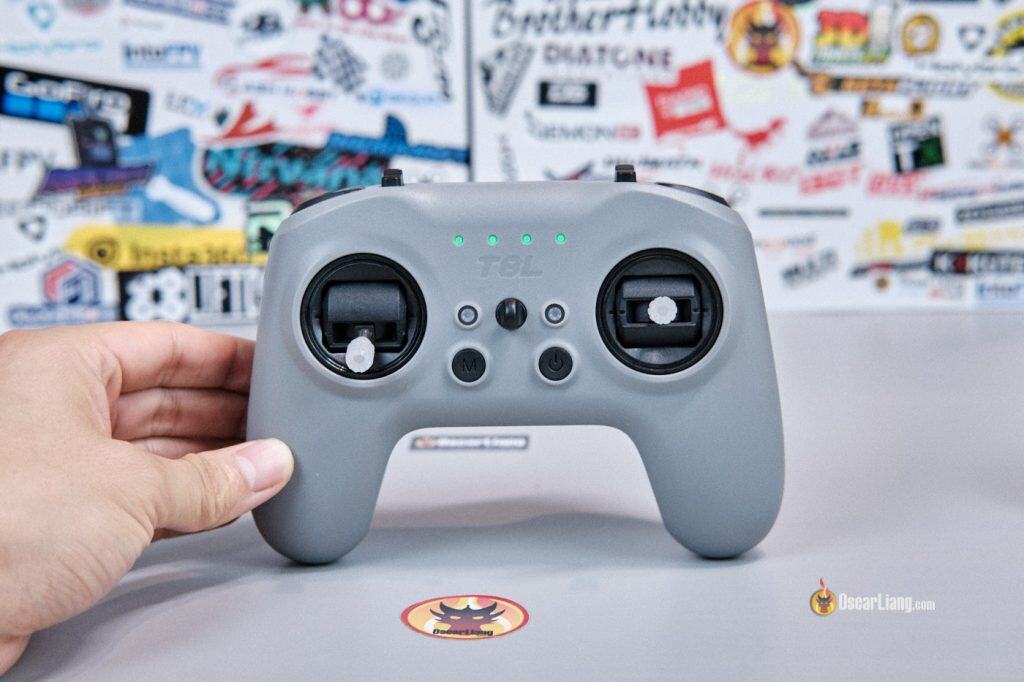
Overall, the Radiomaster T8L is a fantastic entry-level radio for anyone who wants to spend the absolute minimum to get into FPV. It’s especially appealing for beginners unsure about committing to the hobby, or for those wanting an inexpensive controller primarily for FPV simulators or tiny whoops.
Get the Radiomaster T8L from:
-
RadioMaster: https://oscarliang.com/product-i66o
-
AliExpress: https://s.click.aliexpress.com/e/_c3aGKI8d
If you already own a higher-end radio, the T8L is unlikely to replace it—it’s probably a downgrade in both range and features. That said, it makes an excellent secondary transmitter, or a simple, budget-friendly radio for:
-
Pilots who only fly one model
-
Users who rarely change radio settings
-
Indoor or park-flying where long range isn’t necessary
-
Travelers who want something lightweight and compact
For the price, it’s hard to beat. The T8L delivers far more value than you’d expect from a $35 radio, and despite its limitations, it succeeds at exactly what it was designed for.