Review: RadioMaster AX12 — A Hybrid Between RC Radio and Android Tablet - Oscar Liang
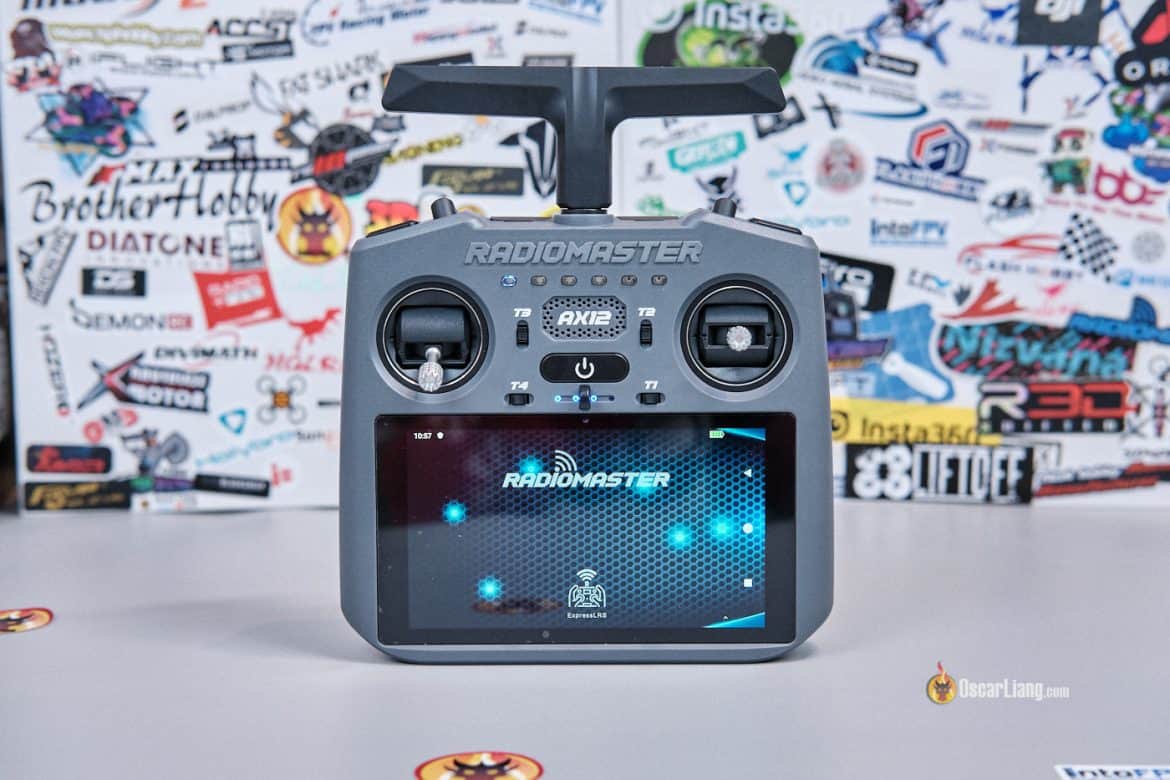
Back in 2023, I visited RadioMaster’s office in Shenzhen, China, and the boss showed me a prototype radio they were working on that ran on Android. Fast forward 3 years, and they’ve finally released it. The RadioMaster AX12 is the company’s first Android-based RC radio. It essentially combines an FPV radio with an Android phone/tablet, allowing you to run Android apps directly on the transmitter. You can even use it to display an FPV video feed via HDMI. I think the AX12 is a genuinely interesting product — but it’s also very niche. Here’s my take on what it does well, where it falls short, and who should seriously consider it.
Learn more about FPV radios: https://oscarliang.com/radio-transmitter/
Table of Contents
Where to Buy
Get the AX12 from:
-
Radiomaster: https://oscarliang.com/product-8dbu
-
AliExpress: https://s.click.aliexpress.com/e/_c3VGYITz
-
Banggood: https://oscarliang.com/product-g7fg
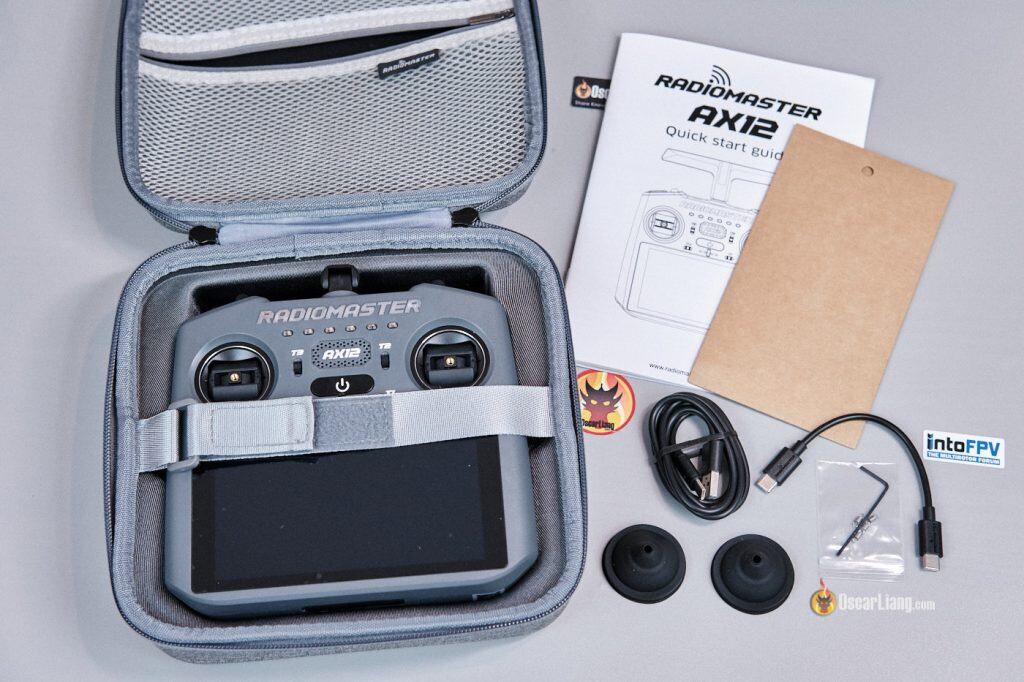
Included Accessories:
-
1 × AX12 Signature Carry Case
-
1 × USB Type-A to Type-C cable
-
1 × USB Type-C to Type-C cable
-
1 × Screen protector
-
1 × 1.5mm hex wrench
-
4 × Low-tension gimbal springs
-
1 × Stickers
-
1 × Manual
Specifications
-
Processor: 8-core CPU
-
Memory / Storage: 4GB RAM + 64GB storage
-
GPU: ARM Mali-G72
-
Working Current: 1.10A (at maximum output power)
-
Frequency Range: 2.4GHz or Sub-G 900MHz
-
Internal RF: ExpressLRS 2.4GHz / Sub-G 900MHz
-
Supported Protocol: ExpressLRS
-
Channels: Up to 16 (depending on receiver)
-
Display: 5.5-inch HD touchscreen (1280×720), 1000 nits brightness
-
Device Firmware: Android 9.0 (cannot be updated)
-
Radio System/App: RadioMasterOS
-
Charging: USB Power Delivery (PD) compatible power supply required
-
Gimbals: High-precision X5 Hall gimbals (optional AG01 Nano upgrade)
-
Gimbal Sticks: Removable and storable
-
External Module Support: Nano module bay
-
Battery: Dual built-in 3.7V 21700 10000mAh lithium batteries
-
Firmware Upgrades: Online automatic updates via Wi-Fi
-
Dimensions: 171 × 168 × 73 mm
-
Weight: 640g (Claimed), 649g (Measured)
What Is the RadioMaster AX12?
The simplest way to understand the AX12 is this: it’s essentially an RC radio built around an Android phone/tablet.
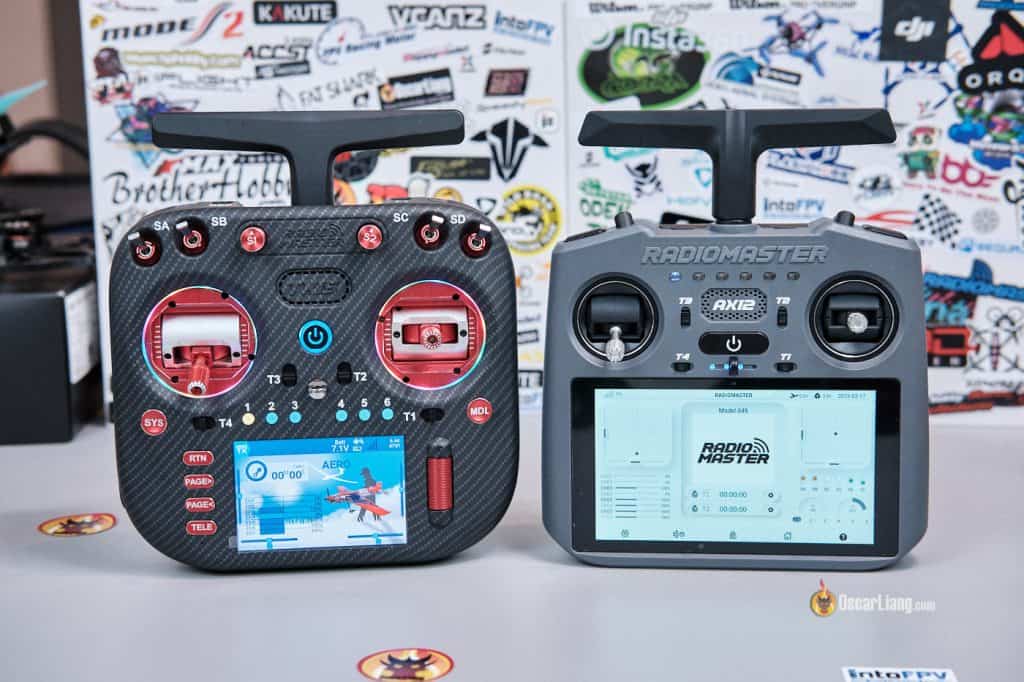
Left: TX15; Right: AX12
Because it runs Android, you can install apps such as:
-
QGroundControl
-
FPV simulators
-
Betaflight tools
-
SpeedyBee app
-
YouTube
-
Website Browser
-
And more…
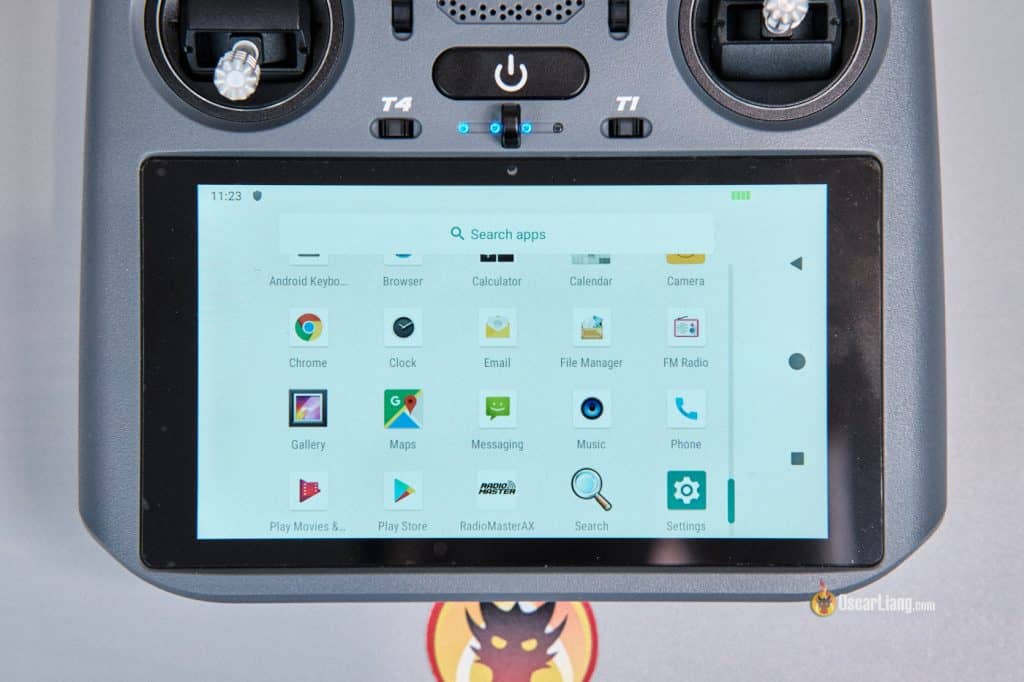
Another standout feature is that it can display an FPV video feed directly on its built-in screen using HDMI input. It also has HDMI output, so you can mirror the display to an external monitor — which is great for events or sharing your feed with friends.
Design, Build, and Ergonomics
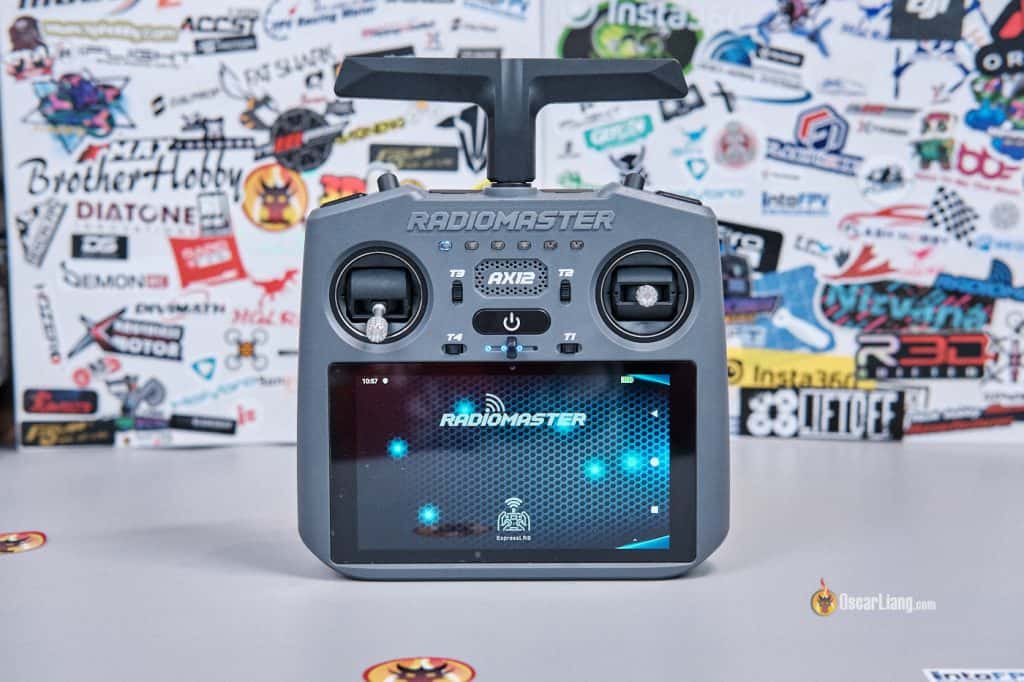
At first glance, the AX12 looks a bit like the DJI Smart Controller. But internally it’s something very different: an Android-based radio with a 5.5-inch touchscreen, built-in ExpressLRS, HDMI input and output, Wi-Fi, Bluetooth, and support for Android apps from the Play Store or APK.
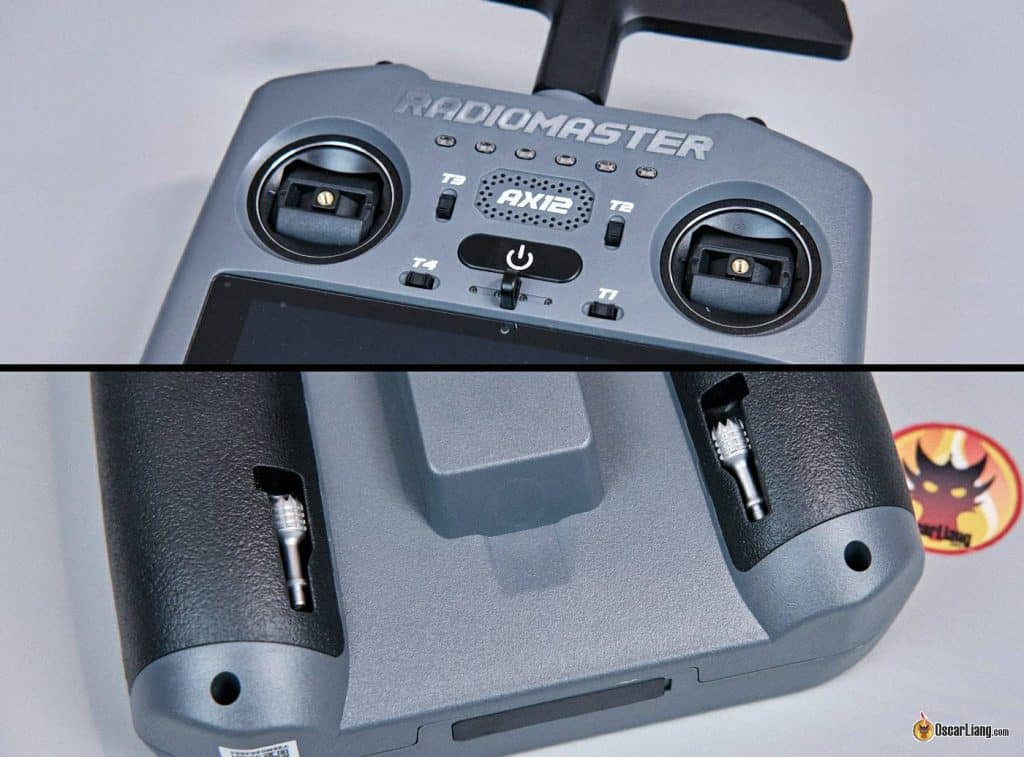
It comes in a nice carry case with an inner zip pocket. The sticks can be stored on the back of the radio and screw into the gimbals when needed.
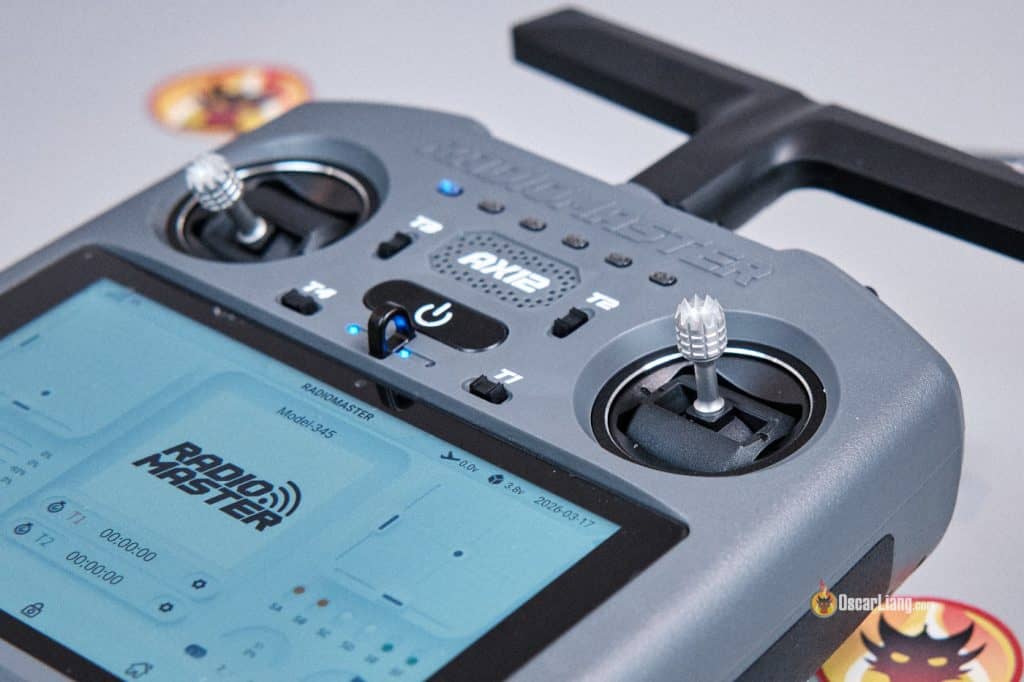
It uses mini Hall gimbals, similar to those found in the RadioMaster Pocket, and they can be upgraded to AG01 Nano gimbals. The stick height is not adjustable, so if that matters to you, you’ll need aftermarket stick ends. It also feels more suited to thumbers than pinchers or hybrid pinchers.
There’s a neck strap hook, which is important because at around 649g, this is not a light radio. It also feels bottom-heavy due to the large screen and battery placement. When using a neck strap, the bottom tends to droop, so the balance isn’t ideal. However, the lanyard is not included and needs to be purchased separately.
In the hand, I have to say the ergonomics are a bit lacking. It resembles a DJI Smart Controller, but it doesn’t feel quite as refined or comfortable. It’s clearly designed around the screen first and the radio second.
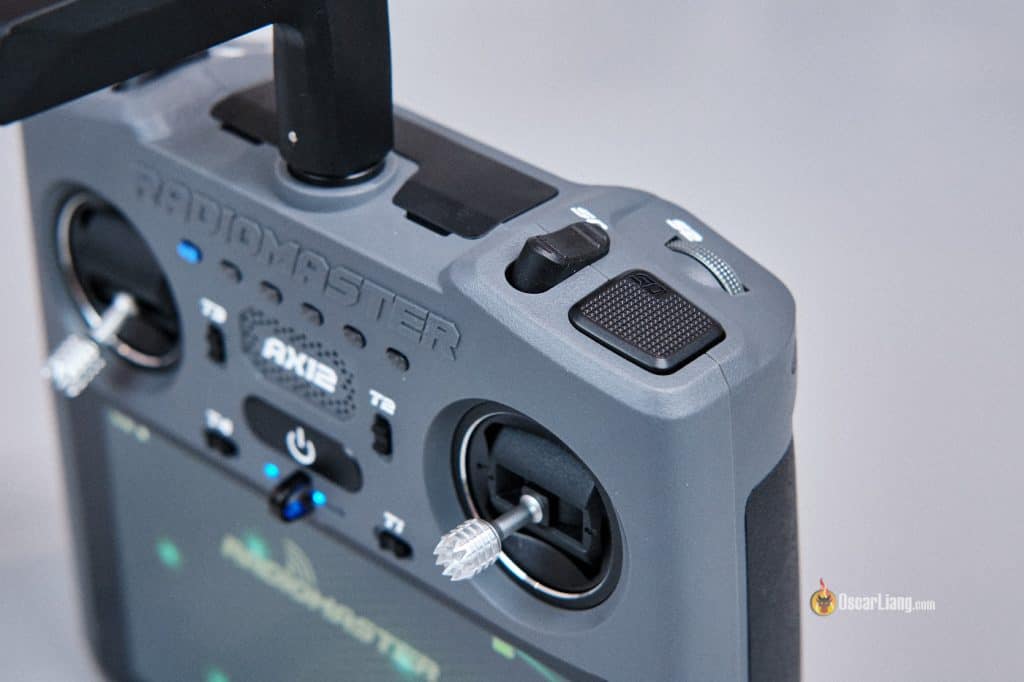
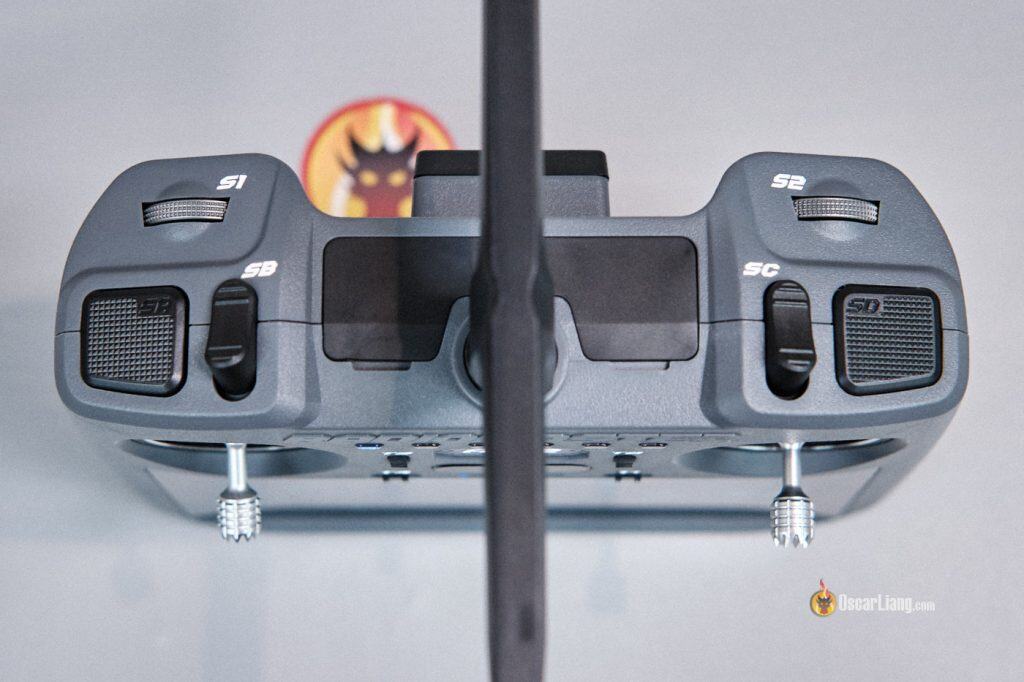
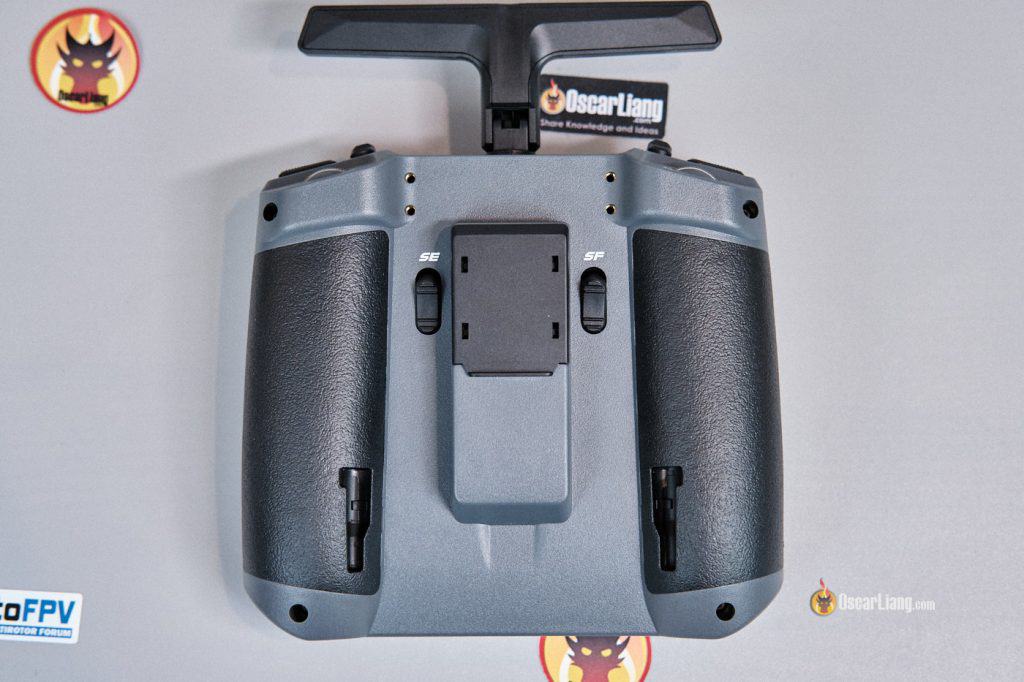
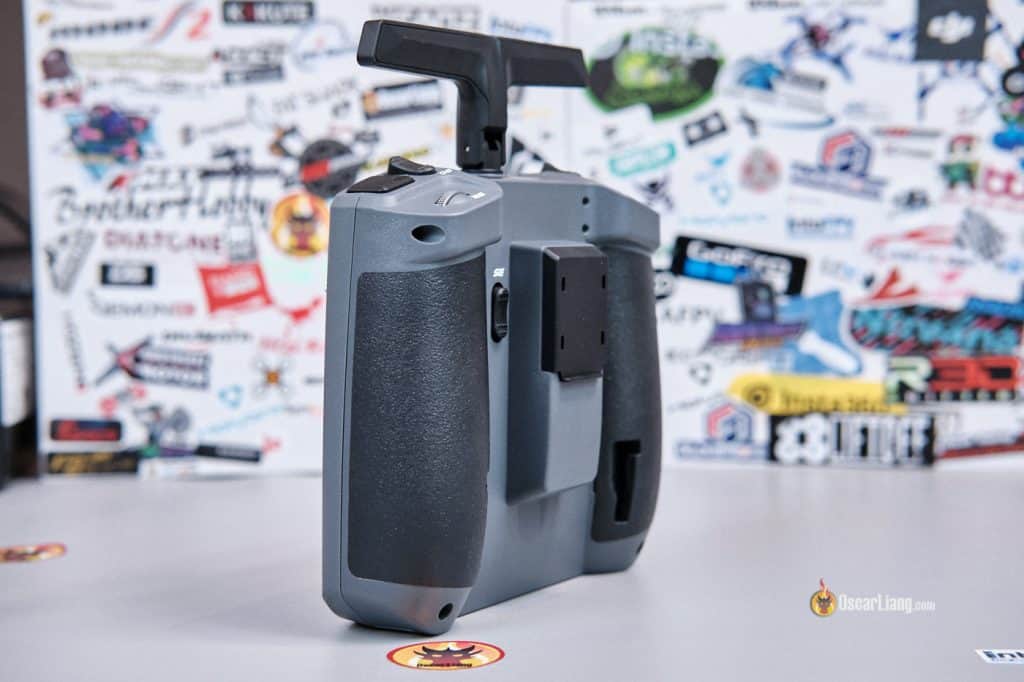
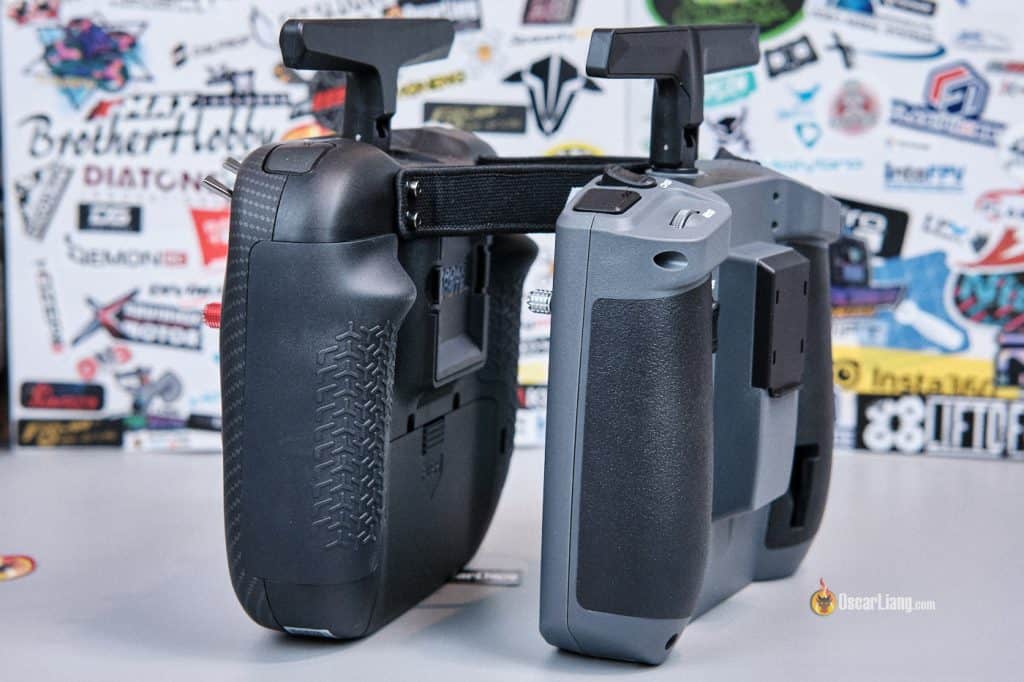
Left: TX15; Right: AX12
Screen
You might notice there are no traditional menu buttons on the AX12. That’s because all navigation is done via the touchscreen — just like a smartphone.
The AX12 has a 5.5-inch 1280×720 touchscreen (similar in size to an iPhone 8 Plus), and one of the first things that stood out to me is how bright it can get, RadioMaster claims up to 1000 nits, and based on my impression, sunlight visibility should not be an issue at all.
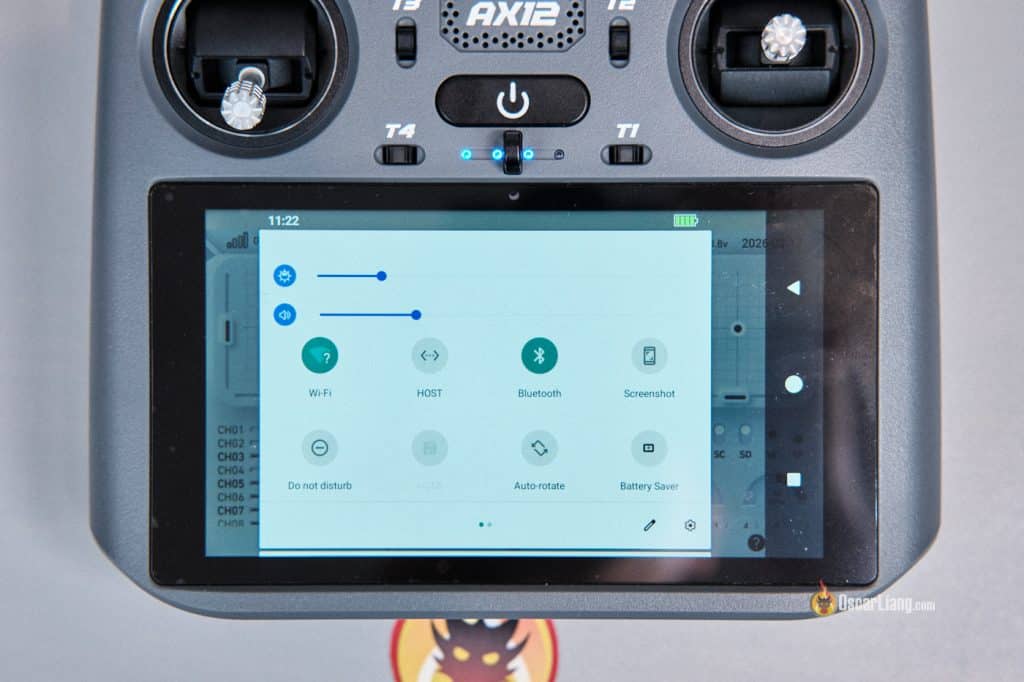
Brightness and volume control work exactly like they do on an Android phone — swipe down from the top of the screen to reveal sliders.
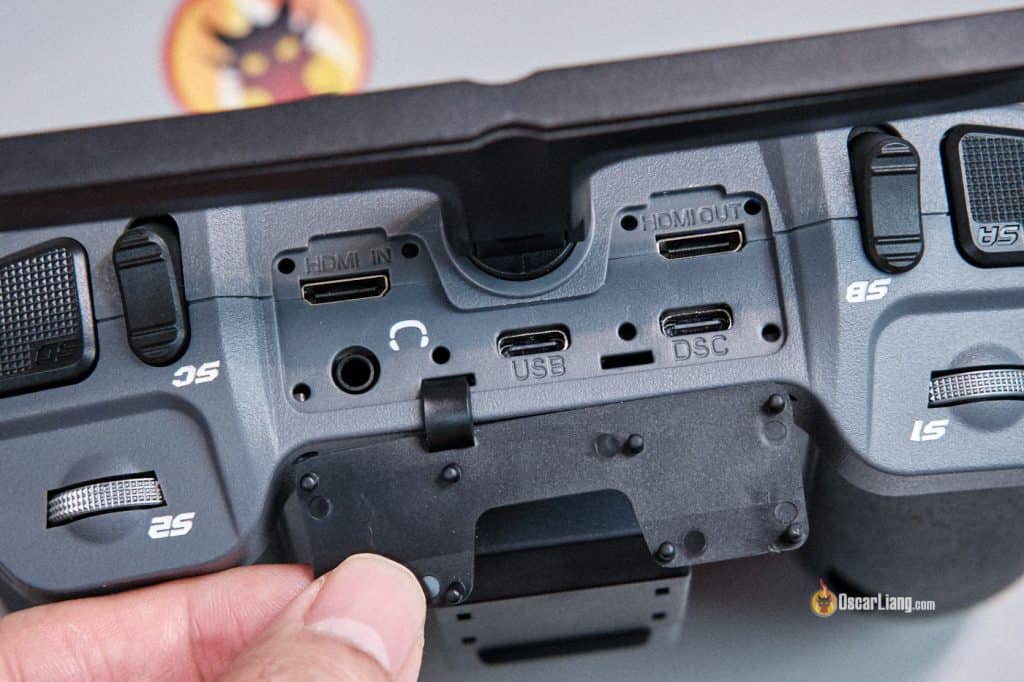
There are Mini HDMI input and output ports on the top of the radio, allowing you to display FPV feed on the screen. Compatible systems include DJI, Walksnail, and HDZero — as long as they have HDMI output, you can connect them to the AX12 and use it as a display.
You can also mirror the display to an external screen via HDMI out, which could be very useful for events, demos, or group sessions.
Android Experience
The AX12 runs on Android 9, and the radio system that replaces EdgeTX is essentially an app called RadioMasterOS that runs on top of Android.
The upside is flexibility. The downside is that Android 9 is quite old (released over 7 years ago — the latest version is Android 16 at the time of writing), it’s no longer considered secure. If you sign in to the Play Store, you should probably use a throwaway Google account and avoid storing any sensitive personal data on the device. App compatibility will also worsen over time, and some apps have already dropped support for older Android versions. And Radiomaster clearly states in the specifications that Android cannot be updated.
So while the AX12 is impressive as a concept, this is also one of my biggest long-term concerns.
Trying Some Android Apps
Because it runs Android, you can use Android-based simulators directly on the radio. That means a potentially fully self-contained practice device — no extra controller required.
Performance was mixed, though. Simpler games ran well enough, while more graphically intensive ones showed slight lag, frame drops and stuttering. That’s not surprising, since the GPU performance is roughly comparable to a cheap phone or tablet from 7 years ago.
Still, the convenience factor is huge. Having a radio and simulator in one device is undeniably appealing. This is where the AX12 clearly does things traditional EdgeTX radios simply cannot.
FPV Simulators
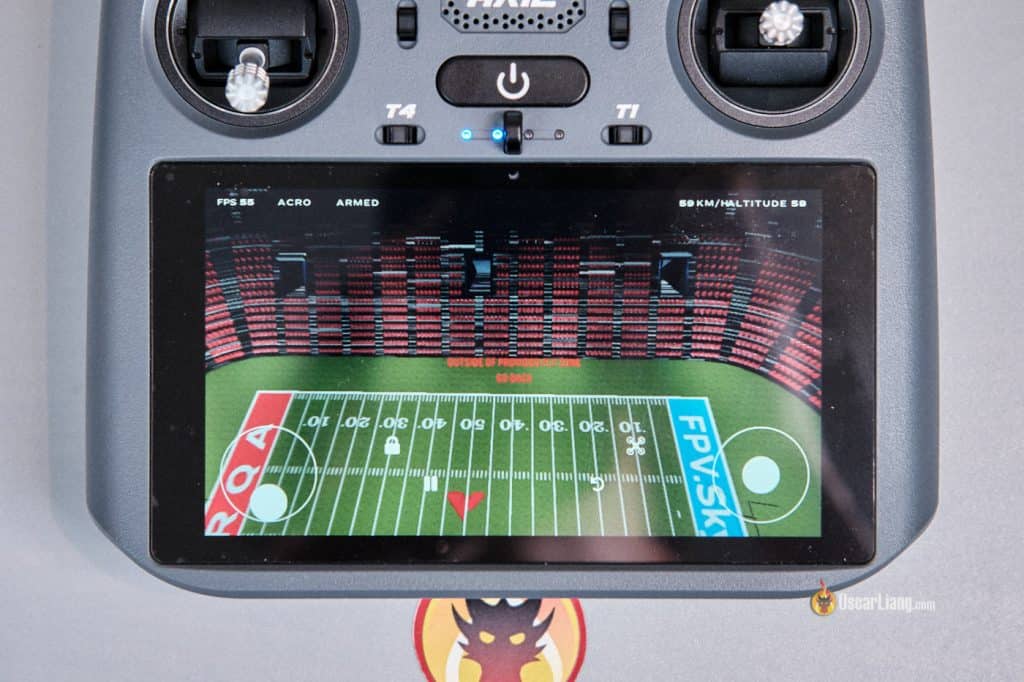
Can it run FPV simulators? Yes.
I downloaded the free FPV.Skydive, and it ran reasonably well. FPS occasionally dropped from 55 to 40 range, which confirms the hardware is struggling, but it was still usable.
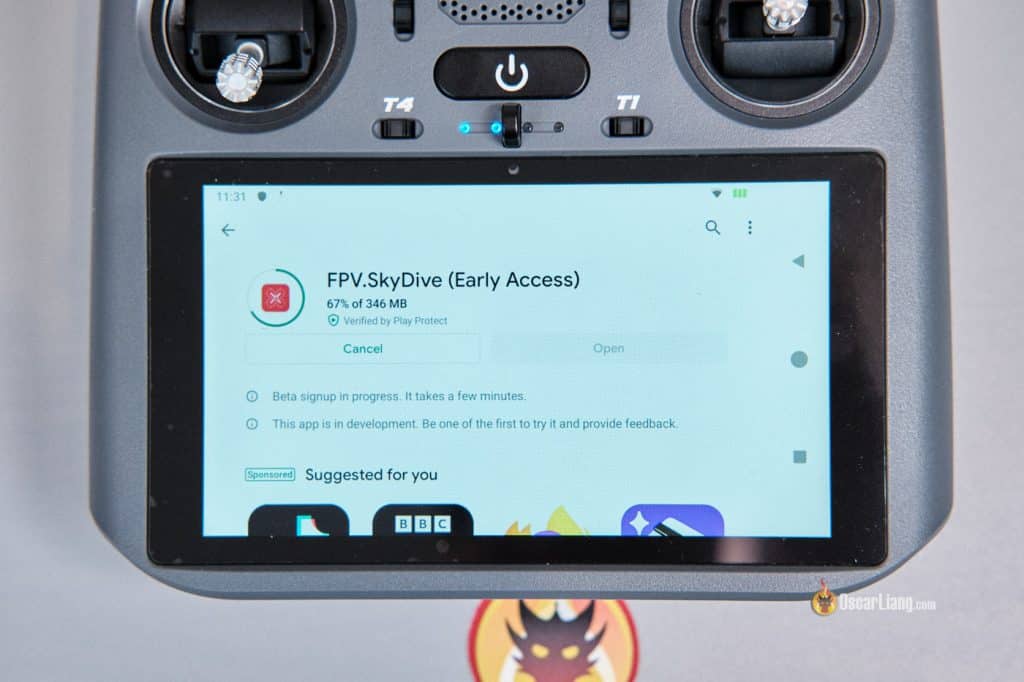
Getting the gimbals working was less ideal. There’s no internal wired connection, so the work around was to connect the gimbals to Android via Bluetooth — similar to pairing an EdgeTX radio with a phone. Unfortunately, latency was very high (probably around 1 second), making it almost unflyable.
You can use the touchscreen controls instead, but that defeats the purpose of practicing FPV flying. Hopefully RadioMaster can improve this latency in the future.
Betaflight Configurator
Can it run Betaflight Configurator? Short answer: not really.
Yes, you can open the web-based Betaflight Configurator in Chrome, but the radio could not detect a flight controller connected via USB-C. The FC received power from the radio, but the AX12 itself didn’t recognize the USB device at all. I also tried a USB-C OTG cable — same result.
However, the SpeedyBee app did work.
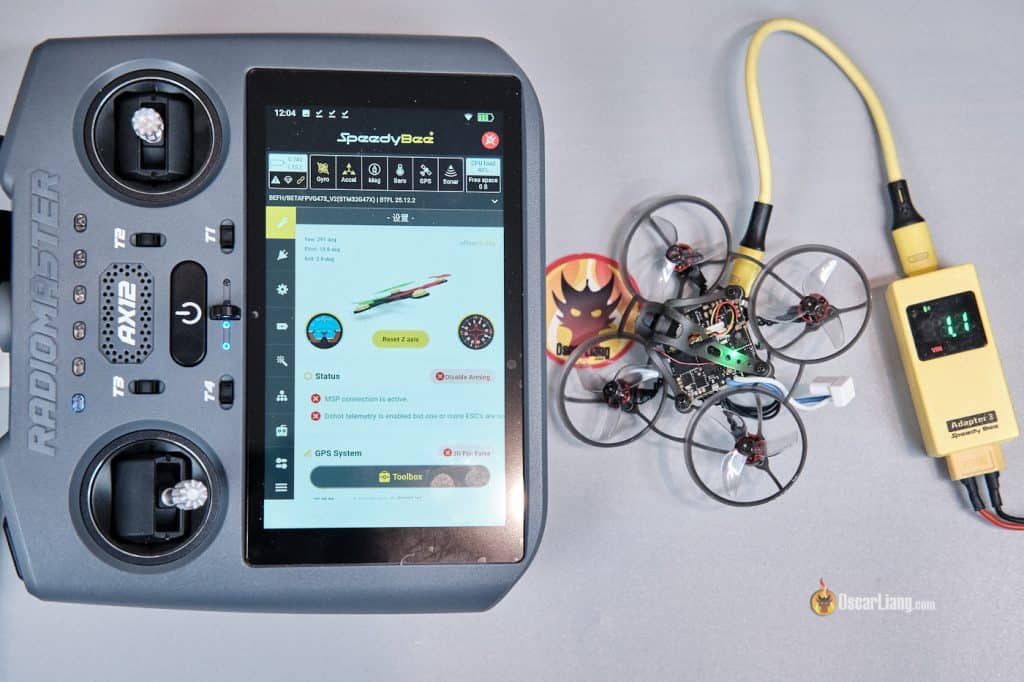
When I tried downloading the Speedybee app from Google Play, it asked for a credit card (I was using a burner account so I didn’t want to enter it). Fortunately, you can download and install the APK directly from SpeedyBee’s website. USB connection still didn’t work, but Bluetooth did — I connected using a SpeedyBee Adapter 3 on the drone side, and everything functioned normally.
DJI Fly App
DJI goggles don’t have HDMI outputs, which means you typically need a DJI Smart Controller (around $500) if your want video output via HDMI. The AX12, however, supports video output from DJI goggles through a USB-C cable using the DJI Fly app. This is a very compelling feature — it effectively turns the AX12 into an external display for DJI systems. You can even use the AX12’s HDMI output to mirror the feed to a TV or monitor, potentially replacing the much more expensive DJI Smart Controller.
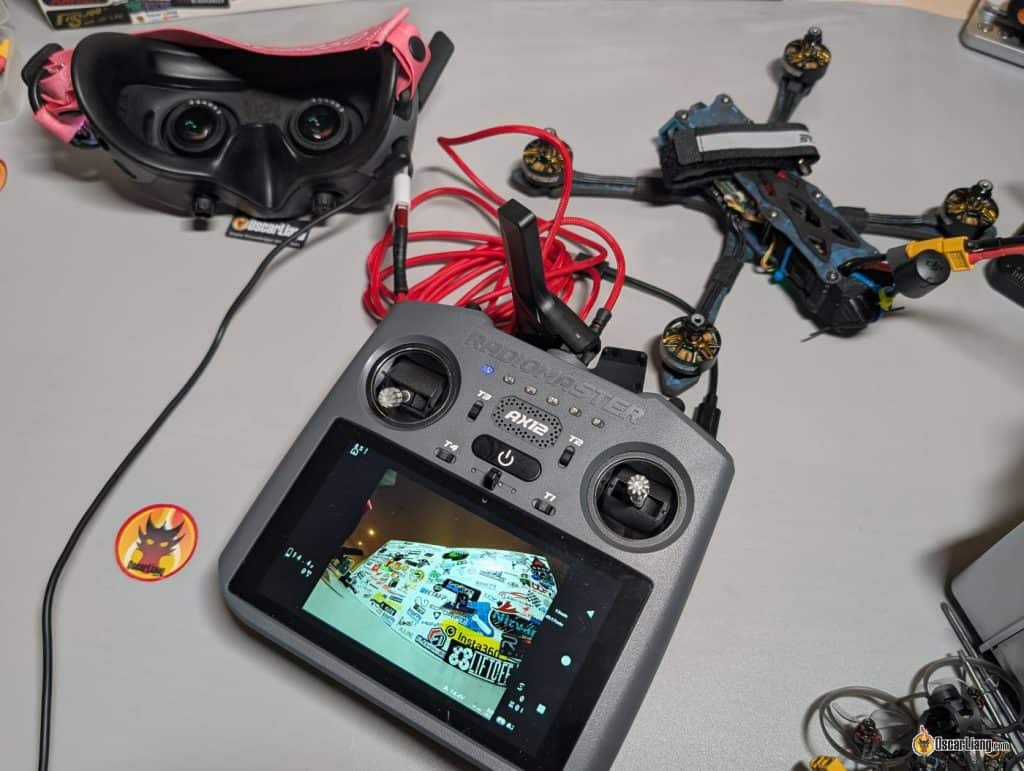
Getting it to work was a little frustrating, though. I intentionally tried to figure it out without asking RadioMaster for help to gauge real-world usability — and it turned out to be far from straightforward. With such a new platform, documentation is scarce, and troubleshooting involves a lot of trial and error.
I installed the DJI Fly APK from DJI’s website, and the app itself ran fine. However, the AX12 initially didn’t detect any USB connection at all.
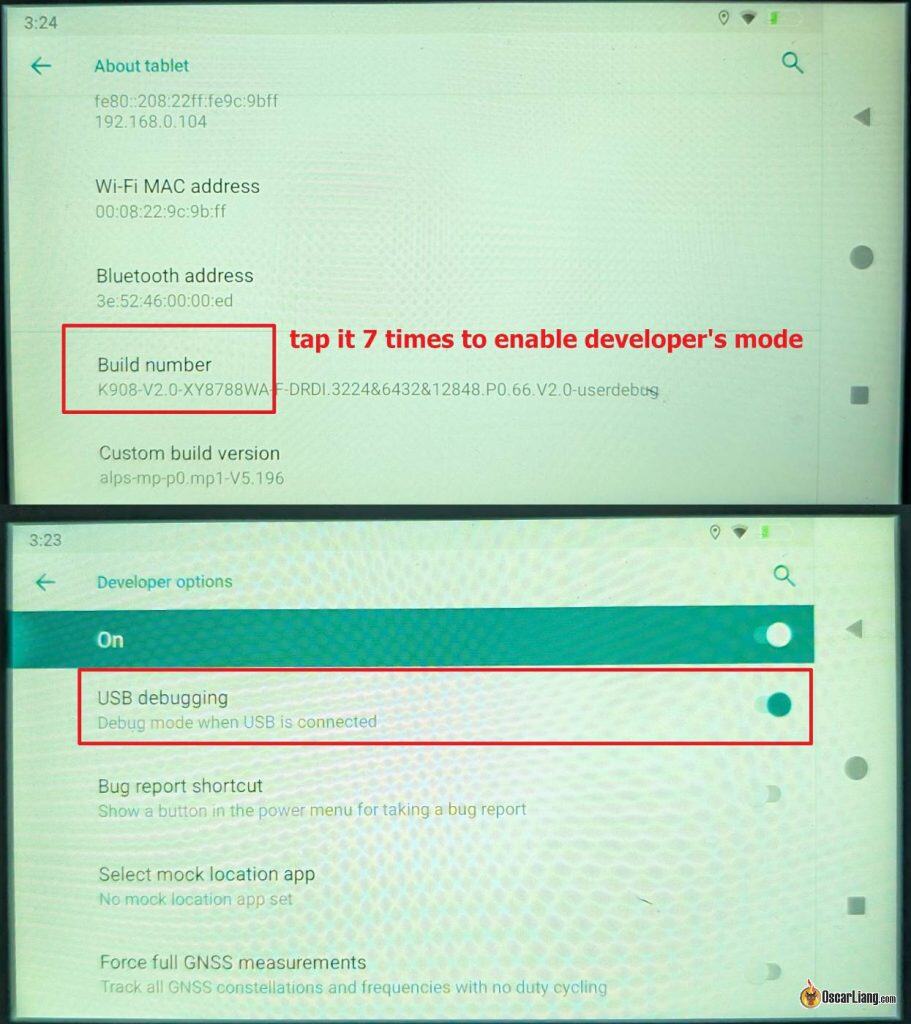
To get it working, I had to enable USB Debugging in Developer Mode:
-
Go to Settings → System → About tablet
-
Tap
Build Number7 times to enable Developer Mode -
Return to Settings and search for
USB Debugging, then enable it -
If it still doesn’t work, try disabling Developer Mode, restarting the radio, and repeating the process
Also make sure “HOST” in the quick settings menu (between the Wi-Fi and Bluetooth icons) is disabled.
You must use a very specific cable. For some reason, USB-C to USB-C OTG cables did not work with the AX12 (even though those same cables worked perfectly with my Pixel 8 phone).
The only setup that worked for me was a USB-A to USB-C cable, with a USB-A to USB-C adapter.
You also need to connect the USB-A end to the goggles (using the adapter) — reversing the cable direction does not work. Very odd, but it’s working!
This worked for both DJI Goggles 2 and Goggles 3 in my testing. It should also work with Goggles Integra and Goggles N3, although I haven’t tested them personally.
Web Browser
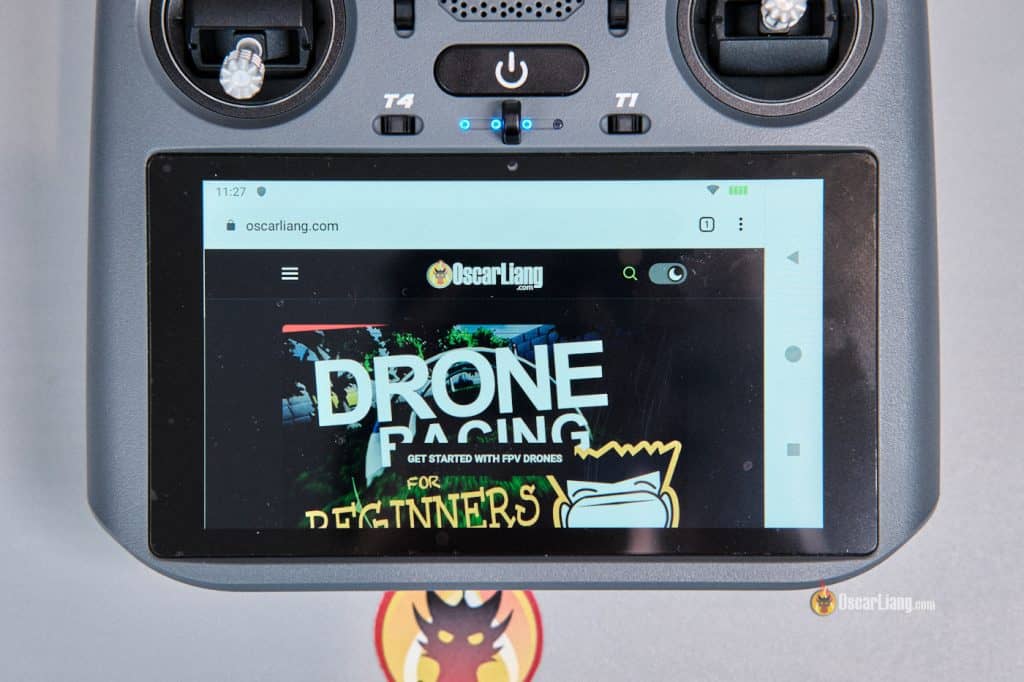
Want to quickly look at my website in the field? You can do it on the radio, how cool is that? :)
YouTube and Media Use
Watching YouTube works surprisingly well.
The screen resolution is only 720p, so video quality isn’t amazing, but it’s perfectly watchable — and this is supposed to be a radio, after all. I didn’t install the Youtube app because Google Play kept asking me for a credit card, so I simply used YouTube in the browser without issues.
Downsides of the Android AX12
The biggest weakness of using Android is complexity.
EdgeTX radios are popular because they are:
-
Fast to boot
-
Purpose-built for RC use
-
Lightweight with minimal background processes
-
Stable and predictable
-
Low cost
Android introduces the opposite:
-
Long boot times
-
Higher battery consumption
-
Greater risk of crashes or lag
-
App compatibility issues
-
Storage and permission hassles
-
Distractions on a device meant for controlling an aircraft
It’s worth noting that while most EdgeTX radios power on in a couple of seconds, the AX12 takes nearly 40 seconds to boot — more like a smartphone or computer.
Another practical concern is developer support. A radio like this only becomes compelling if there are actually good apps made for it. Otherwise it ends up feeling like an old phone bolted onto a transmitter.
And it’s a very new system — bugs are to be expected, and you should be prepared for a considerable amount of tinkering to get things working. If you’re not tech-savvy, you may find it quite frustrating.
Internal ExpressLRS Module
The AX12 includes an internal ExpressLRS transmitter with a maximum output power of 250mW. It can operate on:
-
2.4 GHz
-
or 868/915 MHz
-
but not both simultaneously
This means it does not support Dual-band Gemini-X. You must choose one band or the other, similar to the TX15 but with lower RF output.
You have full access to ExpressLRS settings in the radio menu, or ELRS Lua script.
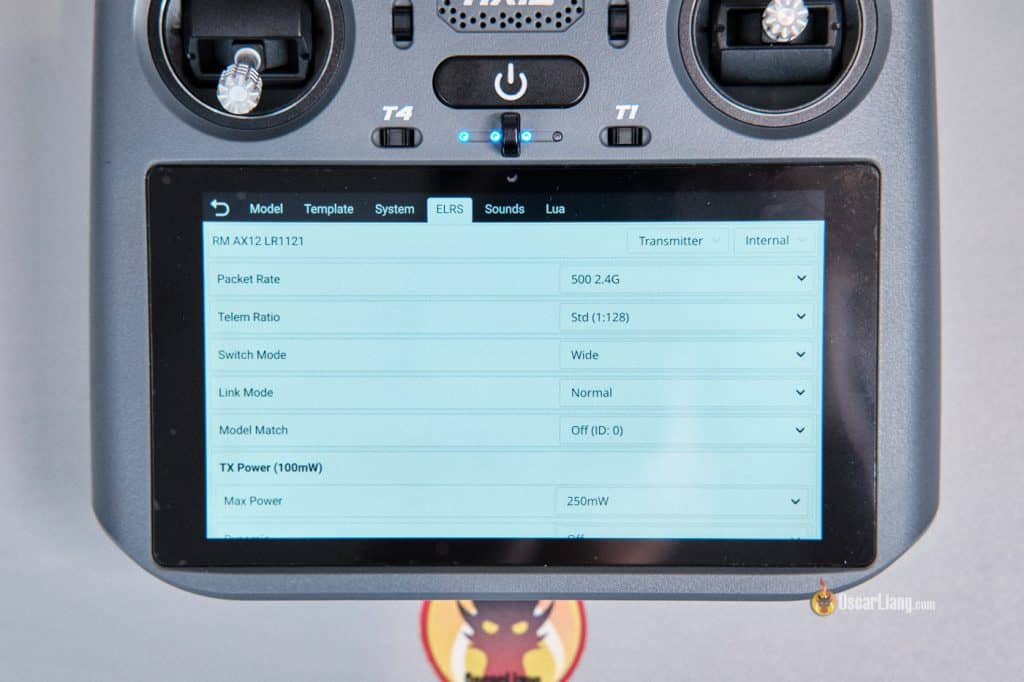
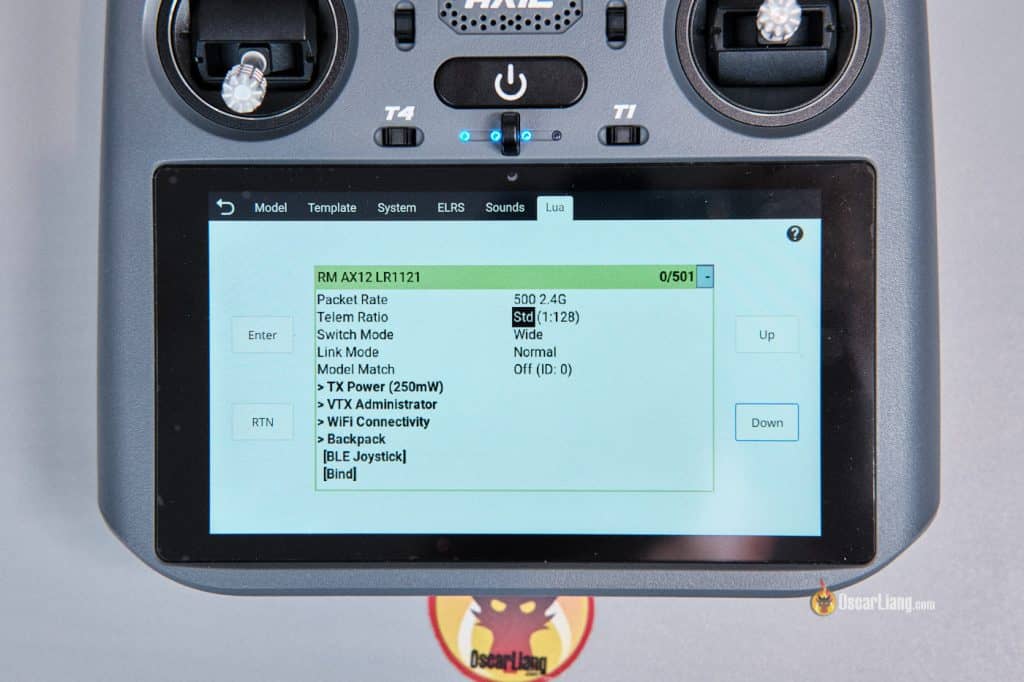
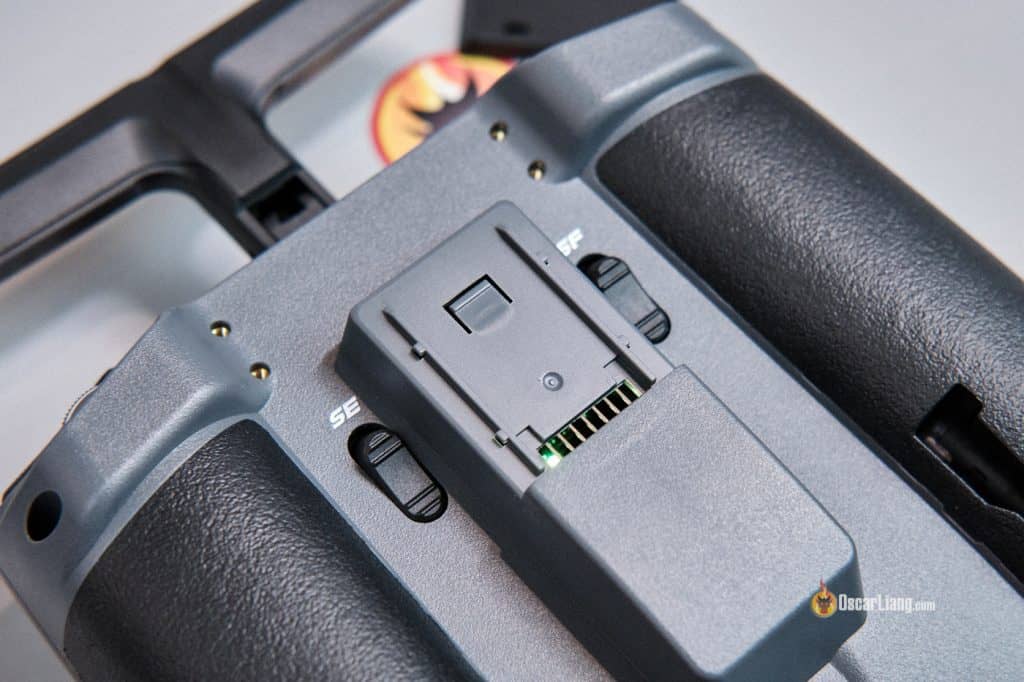
There is also a Nano module bay on the back, which is useful if you want to add a higher-power ExpressLRS module.
Connectivity: Wi-Fi & Bluetooth, but No SIM or GPS or Camera
The AX12 includes built-in wireless connectivity:
-
Wi-Fi
-
Bluetooth
However, it lacks several features commonly found on smartphones and tablets:
-
No SIM card slot
-
No built-in GPS
-
No accelerometer
-
No camera
In practice, this means if you want internet access in the field, you’ll need to tether the radio to your phone (hotspot).
The absence of GPS is a bit of a double-edged sword. On the positive side, it avoids privacy concerns and reduces background services. On the downside, it limits future capabilities such as location-aware features, ground-station functions, or potential Remote ID integrations.
HDMI Input: Viewing FPV Feed on Built-In Screen
This is arguably one of the most important features of the AX12.
The radio includes a mini HDMI input, allowing you to display an external video source directly on the built-in screen. In theory, this lets you use the AX12 as a compact FPV monitor.
Most FPV systems with HDMI output are compatible, including:
-
Walksnail Avatar
-
HDZero
-
OpenIPC
-
Walksnail Ascent VRX
-
Potentially DJI systems (with additional hardware)
-
Supports 1080p and 720p up to 60hz
However, there’s a critical caveat: latency.
Because the video signal passes through Android and is processed in software, additional delay is introduced (varied from system to system). That may be acceptable for spectating or monitoring autonomous aircraft, but it’s not ideal for piloting manual FPV drones where low latency is essential.
So yes — you can watch FPV feed on the AX12 screen, but I would not consider it a true replacement for FPV goggles when precise manual control is required.
HDMI Output: Sharing the Screen
The AX12 also features a mini HDMI output, which mirrors the Android display to an external monitor or TV.
This opens up several practical applications:
-
Spectators watching live flights
-
Portable field display
-
Client viewing during commercial shoots
-
Training sessions and demonstrations
Latency is still present, but for viewing purposes rather than control, it’s not a deal breaker.
RadioMasterOS (Replacing EdgeTX)
Instead of EdgeTX, the AX12 runs RadioMasterOS, which is essentially an Android application designed specifically for RC control.
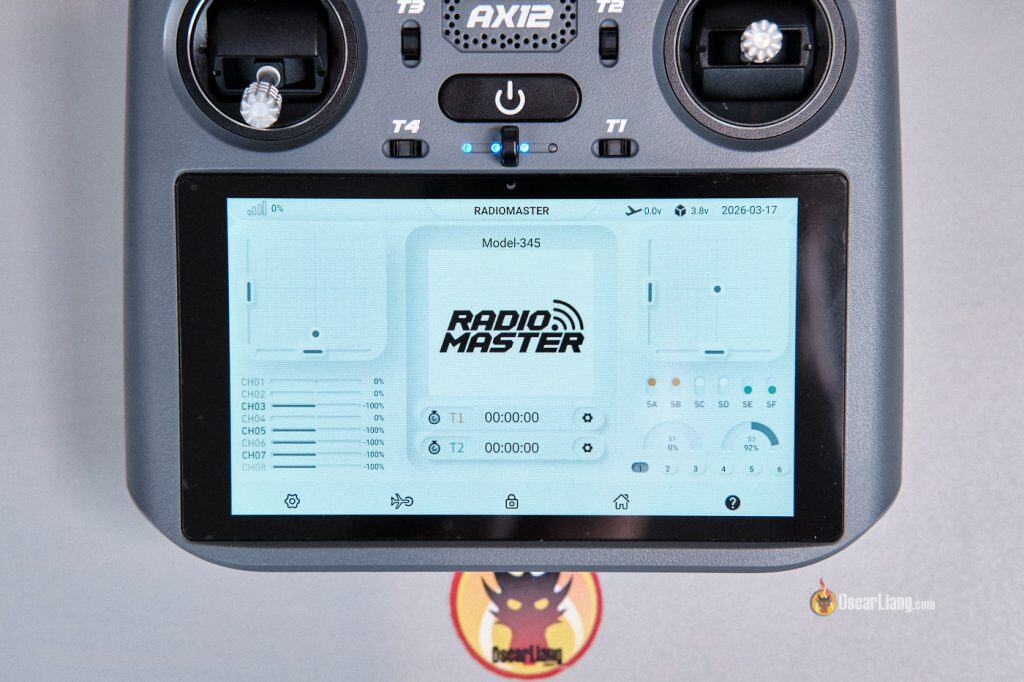
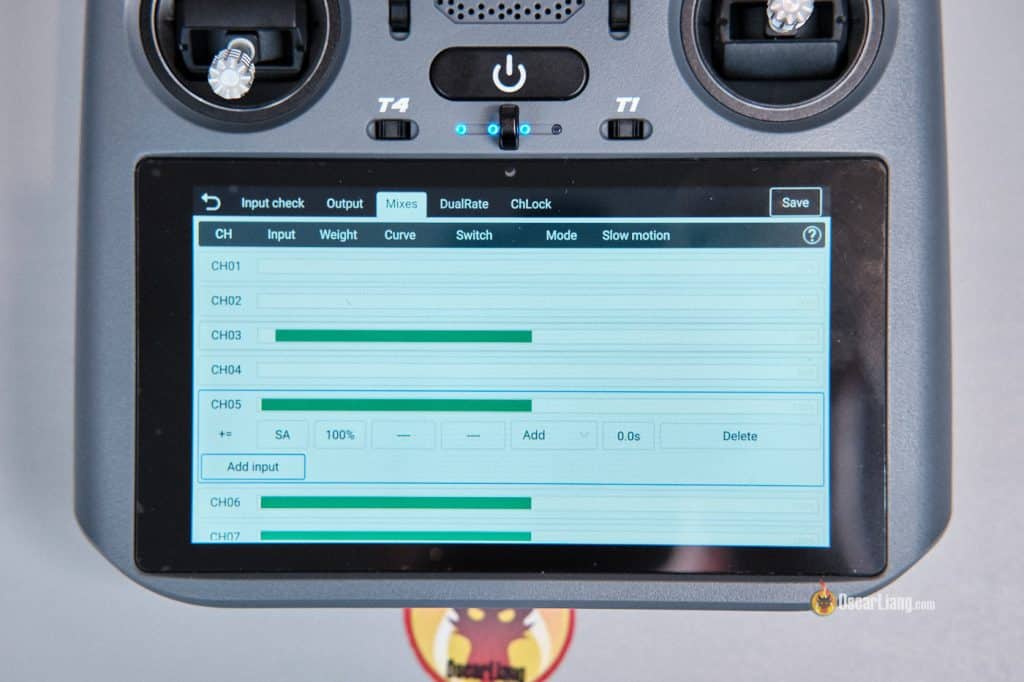
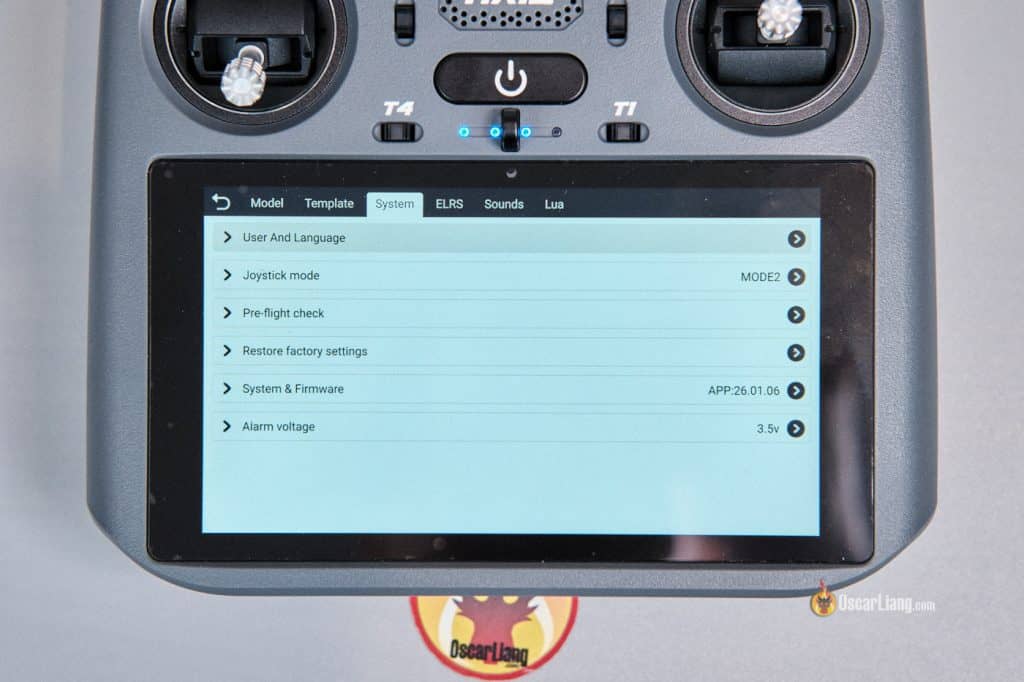
The interface looks modern and includes many features expected from a traditional radio system:
-
Model profiles and templates
-
Channel monitor
-
Telemetry display
-
ExpressLRS integration
-
Inputs, mixes, and outputs
-
System settings
-
Lua script support
-
And more…
For a first-generation system, it’s surprising how much work they’ve done. That said, it’s clearly not as mature as EdgeTX. EdgeTX has years of development and a massive user base behind it, while RadioMasterOS is still new and evolving.
Battery and Charging
The AX12 uses two 21700 Li-ion cells for a total capacity of 10,000mAh, which is respectable for an Android device. The batteries are inside the radio and not removable unless you take it apart. RadioMaster claims 8+ hours of continuous use on a full charge.
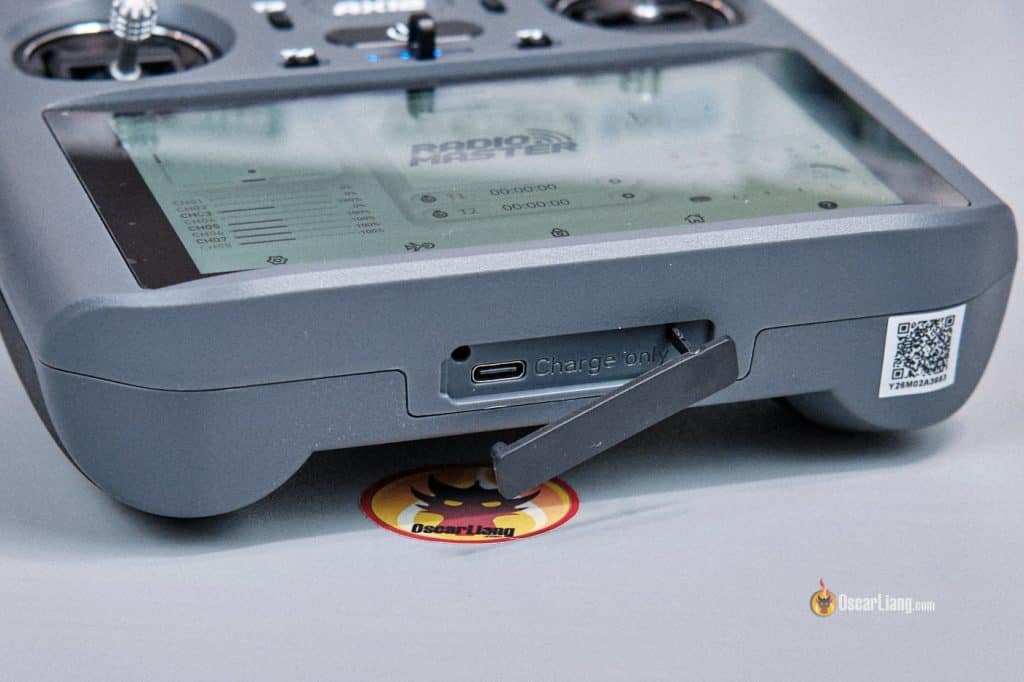
Charging is handled via the USB-C port on the bottom. In my testing, it supports PD fast-charging up to 20W, reaching 0% to 80% in about 70 minutes.
There’s another USB-C port on top which is used for:
-
File transfer
-
Accessories
-
Device communication
There’s also a headphone jack in case you don’t want to use the built-in speaker.
FAQ
Does this radio run EdgeTX?
No. The AX12 uses Android as the primary platform and RadioMasterOS for radio control.
Is RadioMaster moving away from EdgeTX?
No. RadioMaster says they will continue supporting EdgeTX across current and future products. The AX12 is an additional product, not a replacement.
Will there be a 4in1 (multiprotocol) version?
No. There are currently no plans for a 4-in-1 version.
How do you configure ExpressLRS settings?
RadioMasterOS includes a built-in ExpressLRS configuration page, along with ExpressLRS Lua script.
How do I set a bind phrase if there’s no configurator target yet?
A target will be added soon. For now, put the transmitter into Wi-Fi mode in the ELRS Lua script, and configure the bind phrase through the ExpressLRS WebUI.
Does the AX12 have FCC approval?
Yes — FCC certification is complete.
Will there be CE and LBT versions?
Yes — CE certification is complete, and an LBT version will be available.
Final Thoughts: Who Is the AX12 For?
Unlike many radio manufacturers that tend to just copy each other, RadioMaster is clearly thinking outside the box here.
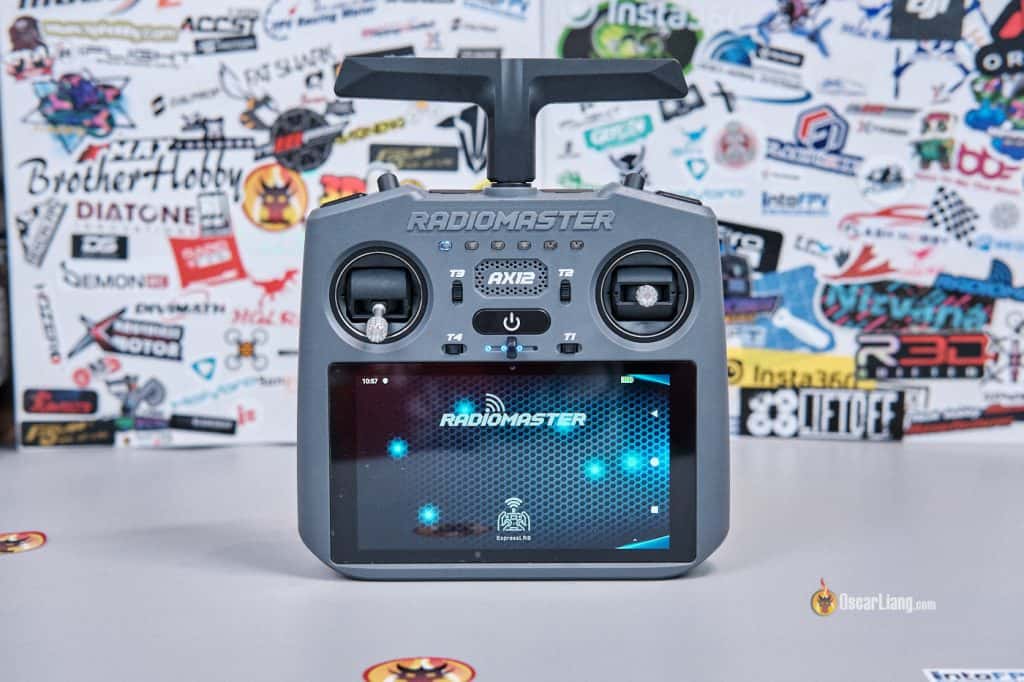
In the product page, RadioMaster specifically highlights MAVLink pass-through support for tools like QGroundControl and Mission Planner. This makes it clear the AX12 is designed not just as a transmitter, but as a combined controller and ground station. For the right user — especially those building ArduPilot, PX4, iNav, or autonomous/mission-planned platforms — the AX12 could be extremely useful. At $249.99, it’s surprisingly compelling.
That said, it will also appeal to people who want:
-
A built-in Android tablet in their radio
-
FPV video viewing without separate goggles
-
FPV simulators running directly on the transmitter
-
Field access to apps like Betaflight tools and SpeedyBee
-
A cheaper alternative to the DJI Smart Controller for outputting DJI feed to an external monitor
So yes — it’s niche, but not pointless.
Get the AX12 from:
-
Radiomaster: https://oscarliang.com/product-8dbu
-
AliExpress: https://s.click.aliexpress.com/e/_c3VGYITz
For a typical freestyle FPV pilot, however, I’m less convinced. The Android layer adds flexibility but also introduces:
-
More complexity
-
Potential instability
-
Security concerns
-
App compatibility limitations
-
Uncertain long-term support
The gimbals are relatively small, and ergonomics aren’t ideal for long flying sessions. For Betaflight quads, the AX12 doesn’t add much — most configuration can already be done via OSD. And almost everyone brings a smartphone with them nowadays anyway, there’s no need for another Android device. If all you do is arm, rip packs, and go home, a typical EdgeTX radio still makes more sense.
Here are my EdgeTX radios recommendations: https://oscarliang.com/radio-transmitter/#Radio-Recommendations
I don’t think the AX12 will replace EdgeTX radios for most FPV pilots. But it does introduce a new category of transmitter, and if RadioMaster continues refining the software, it could become a powerful tool for a very specific audience.